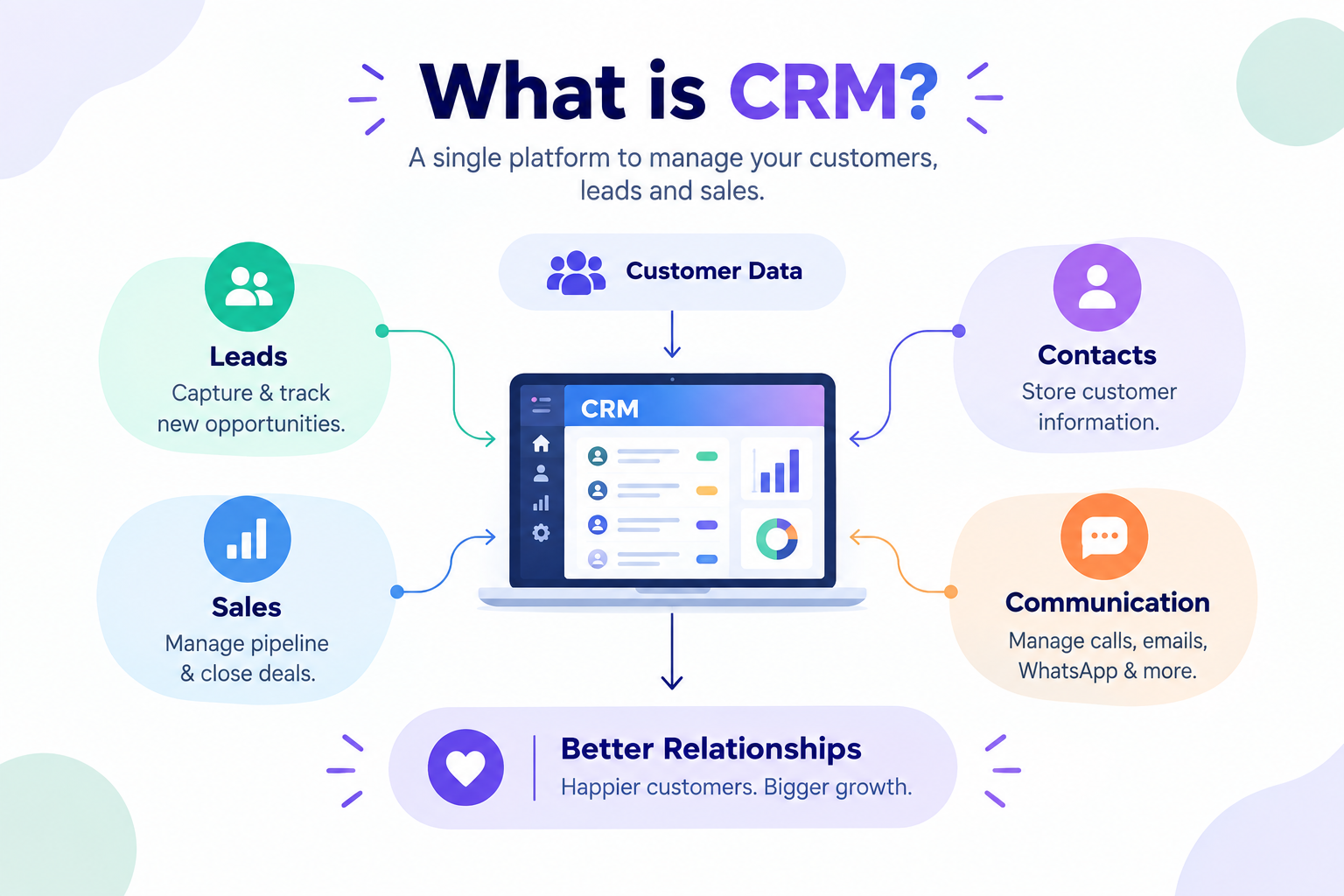
CRM software is a technology that helps businesses manage their relationships and interactions with customers and potential customers.
It stores important customer information in a centralized system.
This information can include names, contact details, enquiries, conversations, activities, and sales history.
Instead of keeping customer information across different spreadsheets and applications, businesses can manage it from one place.
A CRM helps teams organize leads throughout the sales process.
It allows sales representatives to see which leads are new, active, qualified, or ready for conversion.
Teams can also record calls, meetings, messages, notes, and follow-ups.
This creates a complete view of every customer interaction.
CRM software can also automate repetitive business activities.
For example, businesses can automate lead assignments, reminders, notifications, and follow-ups.
This reduces the amount of manual work required by employees.
CRM systems can also provide reports and analytics.
Managers can use these insights to understand sales performance and team productivity.
Modern CRM platforms can connect with websites, forms, email, WhatsApp, and other communication channels.
This allows businesses to manage customer conversations from multiple sources.
CRM software also helps teams collaborate more effectively.
Everyone can access updated customer information based on their permissions.
This reduces duplicate work and improves communication between departments.
Ultimately, CRM software helps businesses build stronger customer relationships while improving operational efficiency.
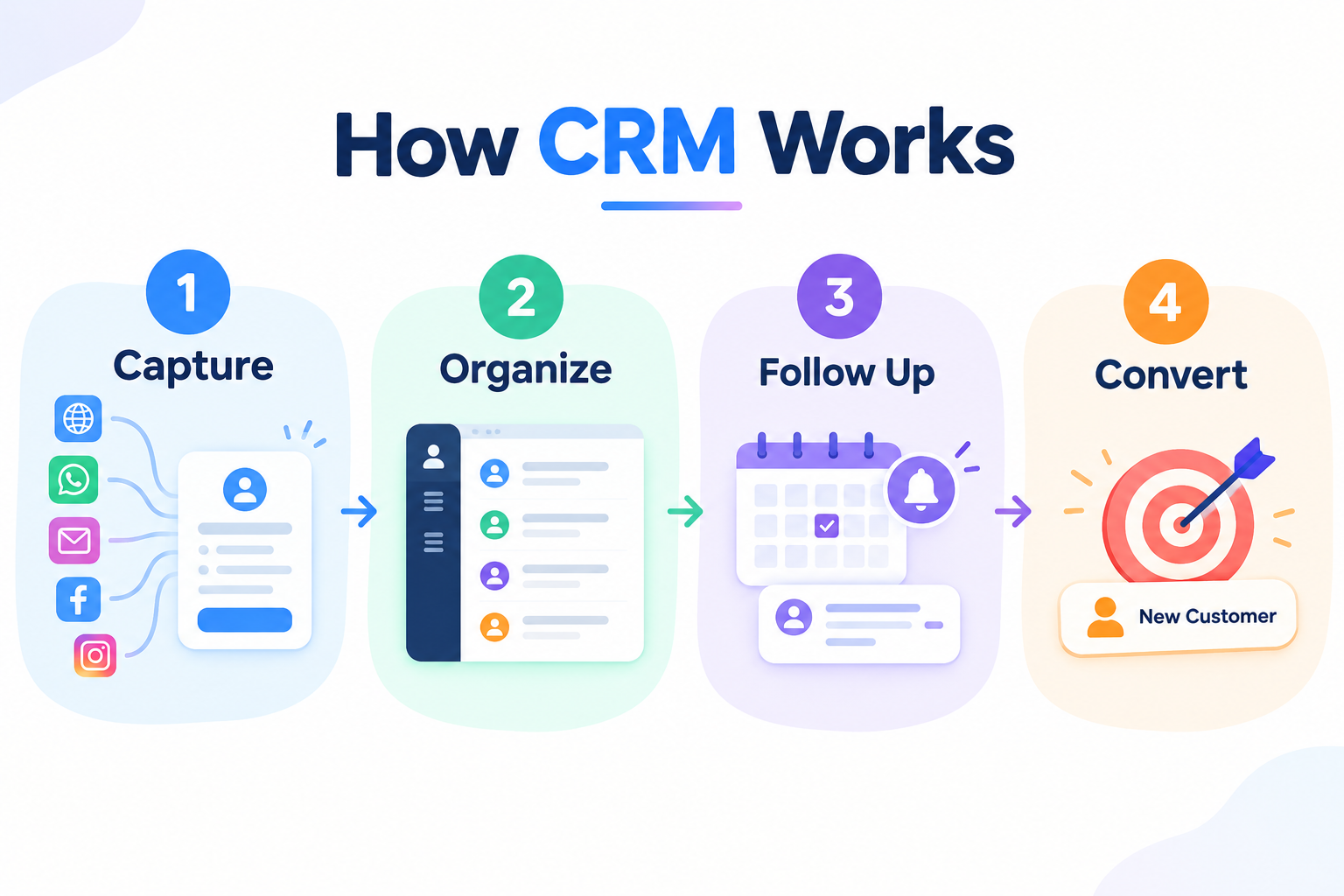
A CRM works by collecting and organizing customer information in one centralized platform.
The process usually starts when a business receives a new enquiry or lead.
A lead may come from a website, webform, WhatsApp, email, social media, or another connected channel.
The CRM captures the available information and creates a customer or lead record.
The sales team can then review the lead and assign it to the appropriate team member.
Sales representatives can add notes, tasks, reminders, and follow-up activities.
Every interaction can be recorded against the customer profile.
This allows the team to understand the complete history of the relationship.
The lead can then move through different stages of the sales pipeline.
For example, a lead may move from New to Contacted, Qualified, Proposal, and finally Converted.
Automation can help teams perform repetitive activities without manual effort.
A CRM can send reminders when a follow-up is due.
It can also trigger notifications when a new lead arrives.
Managers can monitor the pipeline and identify opportunities that require attention.
Reports can show the number of leads, conversions, activities, and sales performance.
Customer data can also be segmented for more targeted communication.
Different departments can access the information they need from the same system.
This creates a connected workflow between sales, marketing, and support teams.
As a result, businesses spend less time searching for information.
They can focus more on converting leads and building long-term customer relationships.
CRM software can provide several benefits to businesses of different sizes.
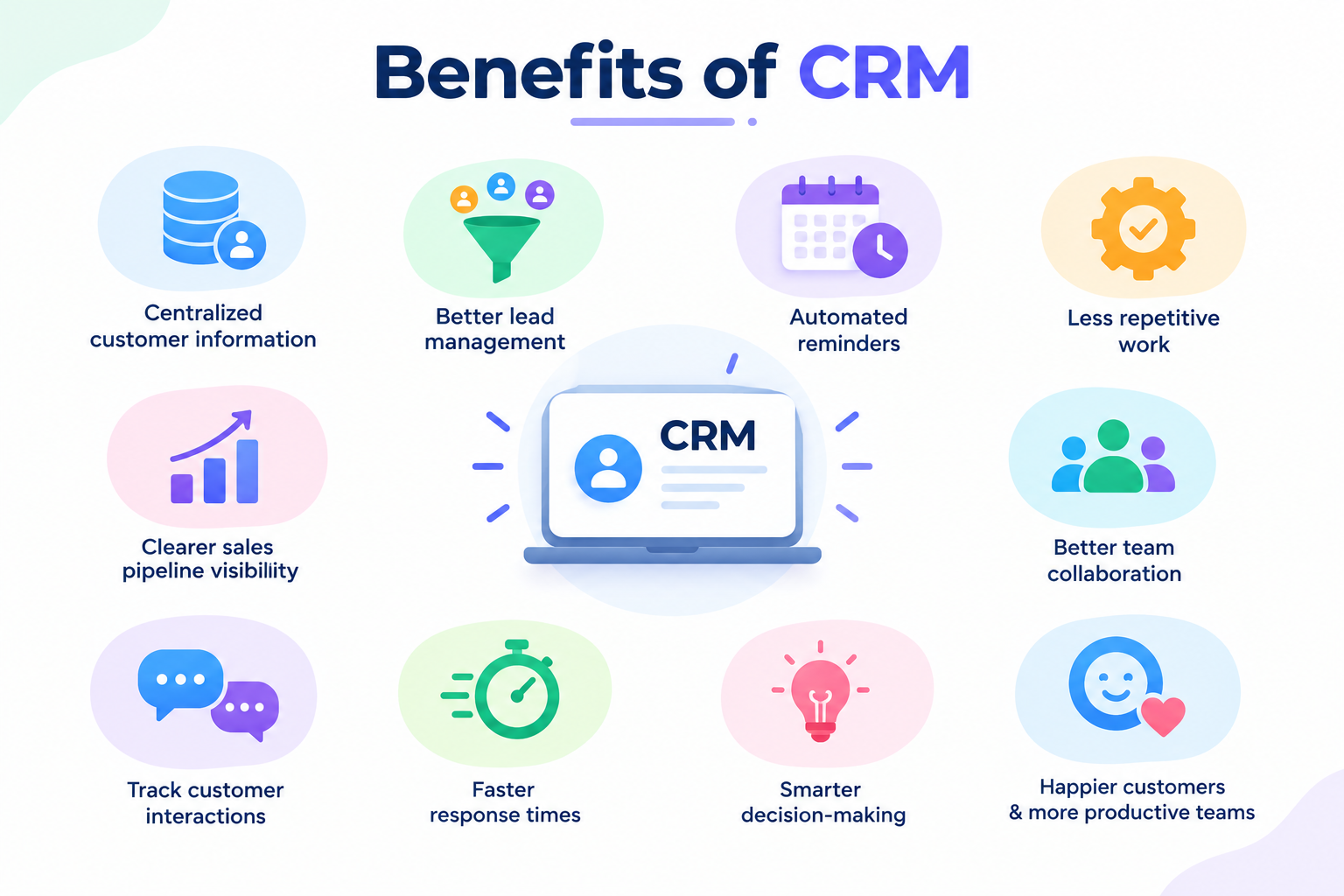
One of the biggest advantages is centralized customer information.
Teams can access customer data without searching through multiple files and applications.
CRM also helps businesses improve lead management.
Sales teams can track every lead and understand its current stage.
Automated reminders help ensure that important follow-ups are not missed.
Automation can also reduce repetitive administrative work.
This allows employees to spend more time on important customer-facing activities.
CRM improves visibility into the sales pipeline.
Managers can quickly understand how many opportunities are currently active.
Reports and analytics can help identify sales trends and performance gaps.
CRM can also improve collaboration between different teams.
Sales, marketing, and support teams can work with the same customer information.
This creates a more consistent customer experience.
Businesses can also track customer interactions across different channels.
This helps employees understand customer needs and previous conversations.
A CRM can improve response times by making important information easier to access.
It can also support better decision-making through organized data and reports.
Over time, these improvements can help businesses become more efficient.
The overall goal is simple: better organization, better customer experiences, and more productive teams.
Modern CRM software includes several features designed to simplify customer and sales management.
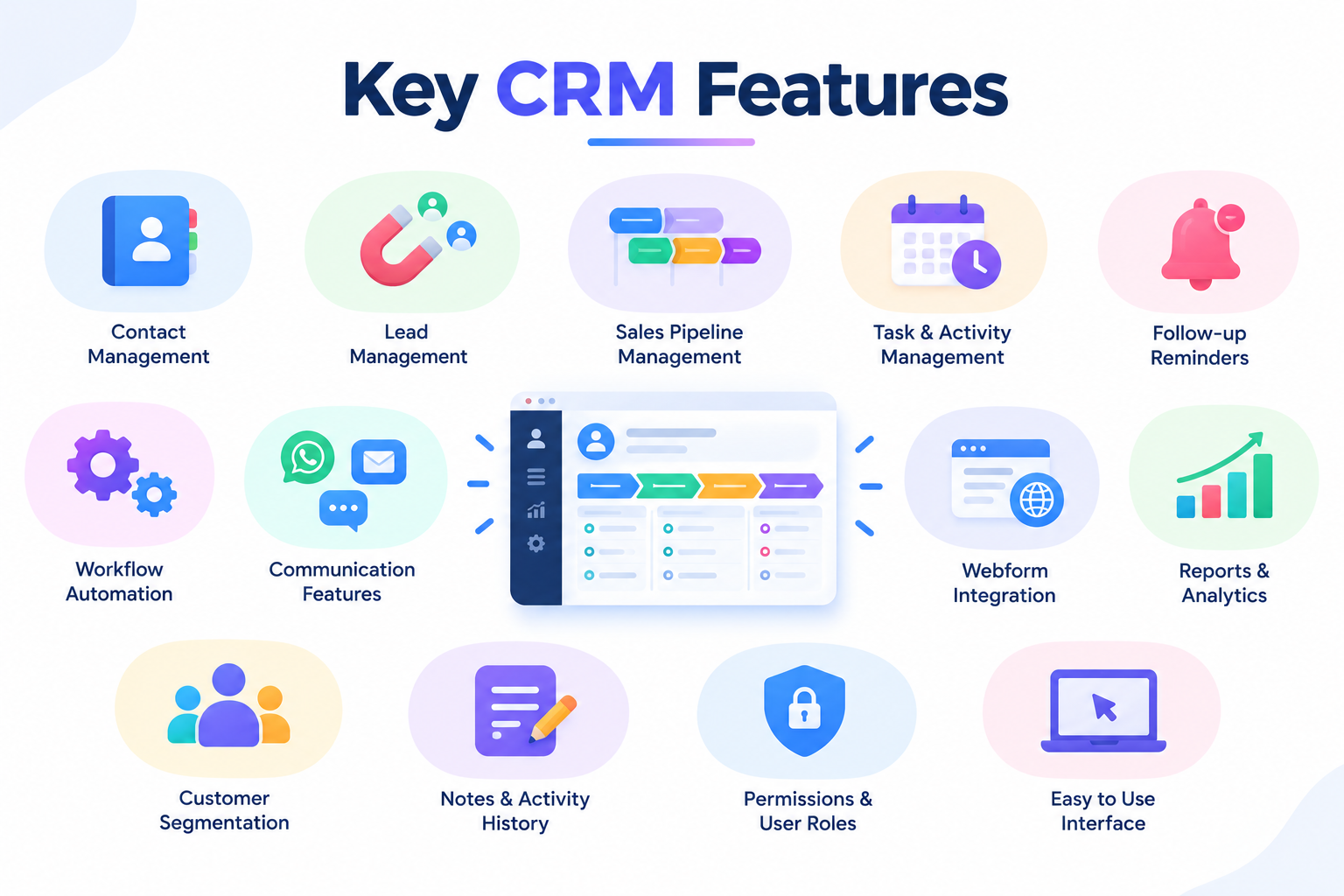
One of the most important features is contact management.
It allows businesses to store and organize customer information in one place.
Lead management helps teams capture and track potential customers.
Sales pipeline management provides visibility into every stage of the sales process.
Task and activity management helps employees stay organized.
Follow-up reminders can ensure that important opportunities are not forgotten.
Workflow automation can reduce repetitive manual processes.
For example, businesses can automate notifications, assignments, and follow-up activities.
Communication features can help teams manage customer conversations across different channels.
Integration with WhatsApp and email can make communication more accessible.
Webform integration can automatically capture enquiries from websites.
Reports and analytics provide useful information about sales and customer activities.
Dashboards can give managers a quick overview of business performance.
Customer segmentation allows teams to group contacts based on specific criteria.
Notes and activity history provide context for every customer interaction.
Permissions and user roles help businesses control access to customer information.
A good CRM should also be easy for teams to use.
The best feature set depends on the specific needs and workflows of a business.
Businesses should focus on features that solve their actual problems instead of choosing a platform based only on the number of features.
CRM software can be useful for almost any business that manages customers or leads.
Startups can use CRM to organize their growing customer base from the beginning.
Small businesses can use it to replace scattered spreadsheets and manual processes.
Sales teams can use CRM to manage leads and track opportunities.
Marketing teams can use customer data to create targeted campaigns.
Customer support teams can access customer history and previous interactions.
Agencies can use CRM to manage multiple clients and sales pipelines.
Real estate businesses can track property enquiries and potential buyers.
Education businesses can manage student enquiries and follow-ups.
Healthcare businesses can organize customer or patient communication based on their workflows.
Financial businesses can manage leads and customer relationships more efficiently.
E-commerce businesses can track customer interactions and enquiries.
Service-based businesses can manage appointments, enquiries, and follow-ups.
Growing companies can use CRM to create standardized sales processes.
Managers can use CRM reports to monitor team performance.
Remote teams can benefit from having customer information available through a centralized platform.
Businesses with multiple communication channels can use CRM to keep conversations organized.
Teams that frequently miss follow-ups can benefit from automation and reminders.
Businesses experiencing rapid growth can use CRM to maintain better control over customer data.
In short, if a business needs to manage leads, customers, communication, or sales activities, CRM software can be valuable.
Choosing the right CRM requires understanding your business requirements first.
Start by identifying the problems your team currently faces.
For example, you may have scattered customer data or missed follow-ups.
You may also need better lead tracking or communication management.
Once the problems are clear, create a list of essential CRM features.
Consider whether you need lead management, contact management, automation, analytics, or integrations.
Think about the communication channels your business uses every day.
If your customers frequently communicate through WhatsApp, WhatsApp integration may be important.
If you receive enquiries through your website, webform integration can be useful.
The CRM should also be easy for your team to learn and use.
A complicated system can create resistance and reduce adoption.
Consider whether the CRM can scale as your business grows.
You should also evaluate user roles and access permissions.
Reports and dashboards should provide information that supports business decisions.
Integration capabilities are another important consideration.
The CRM should work well with the tools your business already uses.
Pricing should match your budget and expected value.
Customer support and onboarding can also make a significant difference.
Before making a final decision, test the platform with real business workflows.
The right CRM is not necessarily the one with the most features—it is the one that fits your team's actual needs.
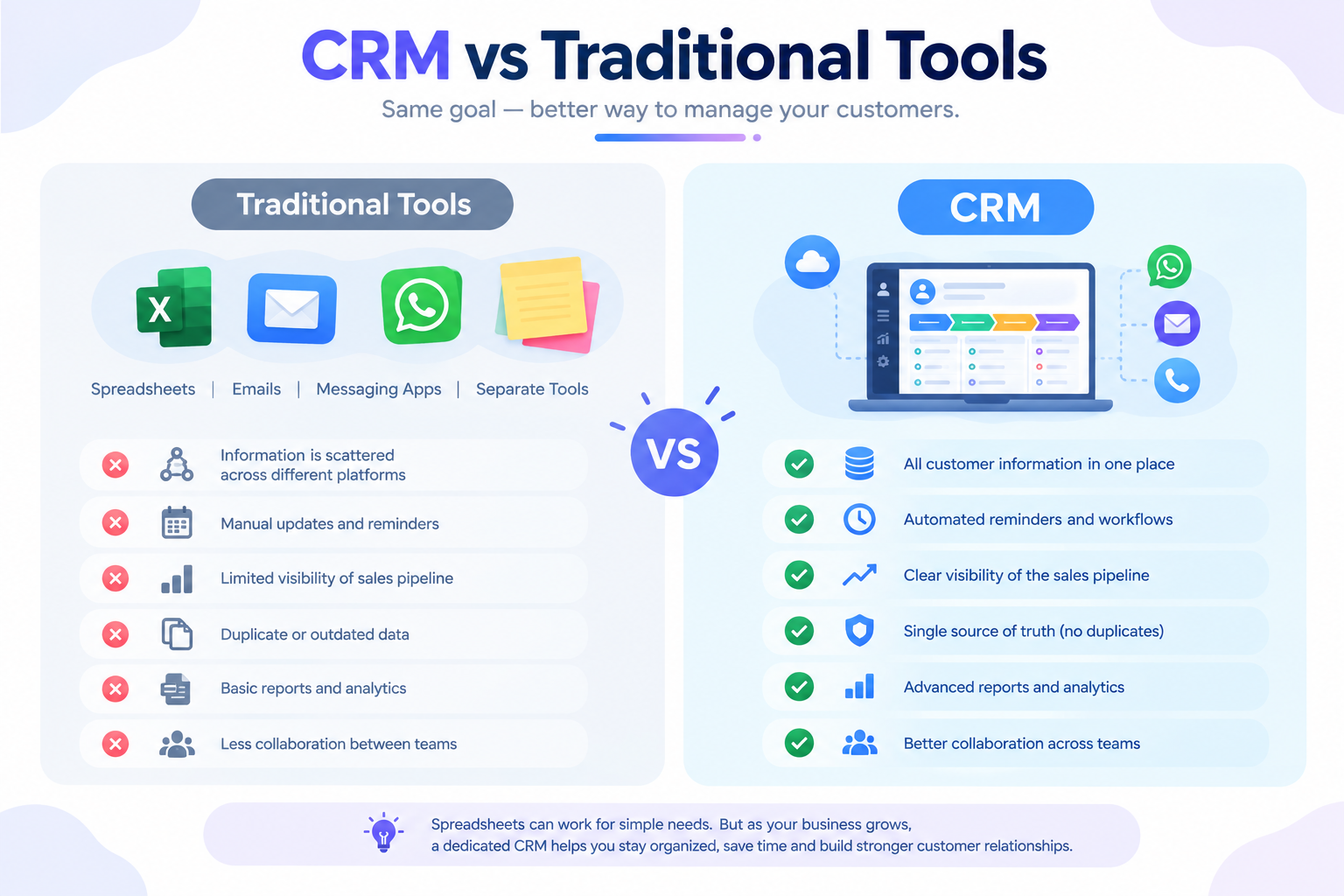
Many businesses still manage customer information using spreadsheets, emails, messaging applications, and separate tools.
These tools can work for small amounts of data but can become difficult to manage as the business grows.
A spreadsheet can store customer information but usually requires significant manual updating.
A CRM is designed specifically for managing customer relationships and sales activities.
Traditional tools often keep information separated across different platforms.
A CRM brings customer information together in one centralized system.
With spreadsheets, follow-ups often depend on manual reminders.
CRM systems can automate reminders and workflows.
Traditional tools may also provide limited visibility into the sales pipeline.
CRM dashboards can show the current status of leads and opportunities.
Another major difference is collaboration.
CRM allows authorized team members to work with shared customer information.
Traditional tools can result in duplicate or outdated information.
CRM can provide a more structured process for managing customer activities.
Communication history can also be connected to customer records.
Reports and analytics are generally more advanced in dedicated CRM platforms.
This does not mean spreadsheets are completely useless.
They can still be useful for simple tasks and temporary data management.
However, businesses with growing customer data and sales activities may benefit from moving to a dedicated CRM.
The right choice ultimately depends on business size, workflow complexity, and growth requirements.
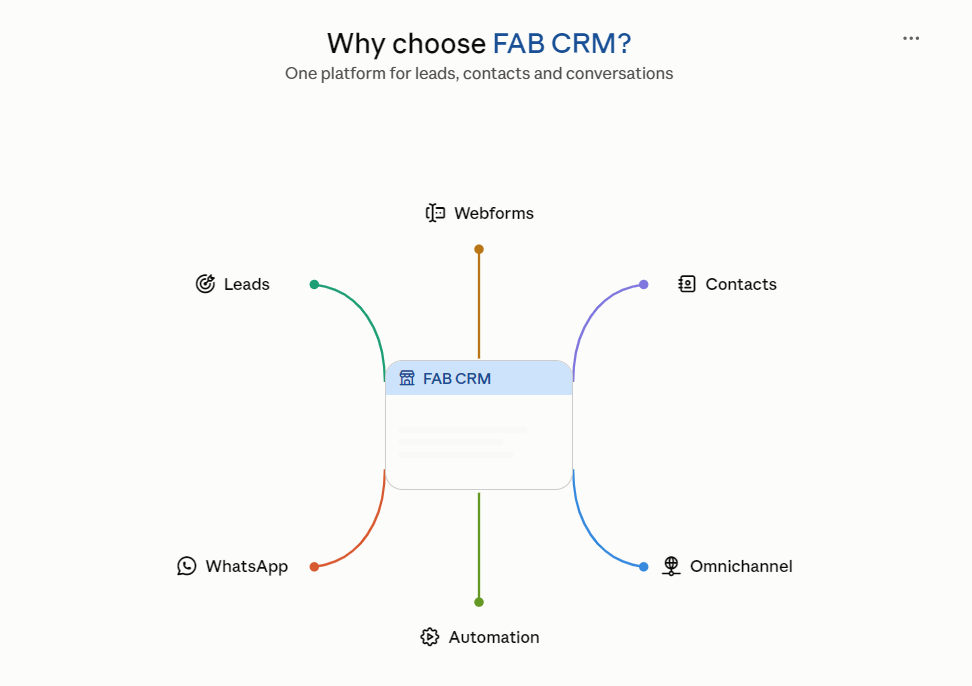
FAB CRM is designed to help businesses manage leads, customers, communication, and sales activities from one centralized platform.
It brings important customer management processes together in one place.
Businesses can use FAB CRM to organize and manage their leads more efficiently.
Lead Management helps teams capture and track potential customers throughout the sales journey.
Contact Management provides a structured way to store and manage customer information.
Businesses can also connect communication channels to create a more organized customer experience.
WhatsApp CRM helps teams manage customer conversations through WhatsApp.
Webform Integration can help businesses capture enquiries directly from their websites.
Omnichannel Integration allows businesses to connect multiple communication channels.
Workflow automation can reduce repetitive tasks such as assignments, notifications, and follow-ups.
This can help teams save time and focus on more valuable activities.
FAB CRM also provides tools for tracking customer and sales activities.
Teams can use organized information to make better decisions.
Managers can gain visibility into leads, activities, and sales processes.
Centralized information can also make collaboration easier between team members.
Instead of relying on separate tools, businesses can bring important workflows together.
The platform can be useful for businesses across different industries and use cases.
As customer expectations continue to increase, organized communication becomes increasingly important.
FAB CRM helps businesses build a more connected approach to customer relationship management.
The goal is to make customer management simpler, more organized, and more efficient.
Customer relationships are an important part of every successful business.
As businesses grow, managing customers through disconnected tools can become increasingly difficult.
CRM software provides a structured way to organize customer information and sales activities.
It helps teams manage leads, contacts, communication, follow-ups, and customer interactions.
Automation can reduce repetitive work and help teams stay productive.
Centralized data can make collaboration easier across different departments.
Sales teams can gain better visibility into their pipelines and opportunities.
Managers can use reports and analytics to make more informed decisions.
Customers can also benefit from faster and more consistent communication.
However, choosing the right CRM is important.
Businesses should consider their workflows, requirements, team size, integrations, and future growth.
A CRM should solve real business problems instead of adding unnecessary complexity.
It should also be simple enough for employees to use consistently.
For businesses looking for a connected customer management solution, FAB CRM can be a useful option.
Its features support lead management, contact management, communication, automation, and integrations.
By bringing these processes together, businesses can create a more organized workflow.
A good CRM is not simply a database of customers.
It becomes a central system for managing relationships and improving business processes.
With the right CRM strategy, businesses can spend less time managing scattered information.
They can spend more time building meaningful customer relationships and growing their business.