Still managing customer messages manually on WhatsApp? You’re not just wasting time — you’re missing out on growth. Today’s customers expect instant communication. Whether it's a product inquiry, a support request, or a follow-up conversation — they want answers, and they want them now. And where are they most likely to reach you? On WhatsApp. WhatsApp has become the world’s go-to messaging app, with over 2 billion active users globally. But as your business grows, managing all those one-on-one chats becomes chaotic. You lose track of conversations, leads fall through the cracks, and follow-ups get forgotten. That’s where WhatsApp CRM comes in. A WhatsApp CRM isn’t just another tool — it’s a system that helps you manage, automate, and scale customer conversations on WhatsApp. Instead of juggling chats across multiple devices or team members, WhatsApp CRM brings everything into one shared inbox. You can assign chats, track lead status, set follow-up reminders, and integrate with your existing sales pipeline — all in real-time. In this blog, we’ll explore:
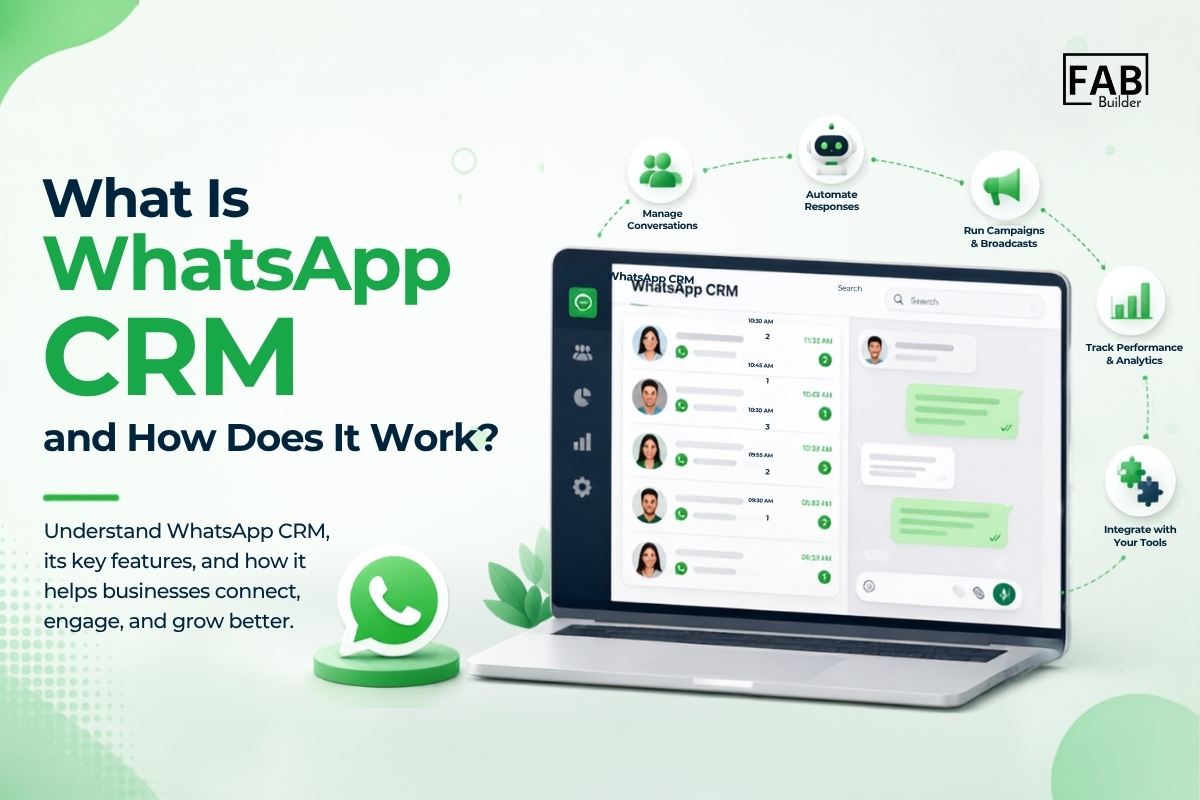
Whether you're a startup, a D2C brand, or a service-based business — if you're talking to customers on WhatsApp, you need a smarter way to manage those conversations. Let’s dive in and see how WhatsApp CRM can turn your chat inbox into your most powerful sales and support channel. What Is WhatsApp CRM and How Does It Work?
WhatsApp CRM (Customer Relationship Management) is a powerful solution that integrates WhatsApp — the world’s most popular messaging app — with your existing CRM platform to streamline customer communication, sales tracking, and support workflows. Instead of managing one-on-one conversations manually through the WhatsApp Business app, WhatsApp CRM centralizes every interaction into a collaborative workspace where your entire team can view, respond to, and manage customer chats in real-time. Think of it as combining the familiarity and reach of WhatsApp with the organizational power of CRM software. Whether you’re tracking leads, handling customer support tickets, or nurturing relationships post-sale, WhatsApp CRM software ensures that no message slips through the cracks. It acts as a single source of truth for customer interactions — capturing chat histories, contact details, conversation context, and even sales pipeline stages — all from within one dashboard. Unlike traditional CRM systems that focus primarily on email or call records, WhatsApp CRM puts instant messaging at the center of your engagement strategy. This is crucial in a world where customers expect fast, personalized responses and where WhatsApp is quickly becoming the preferred channel for inquiries, purchases, and after-sales service. A modern WhatsApp CRM integration allows businesses to:
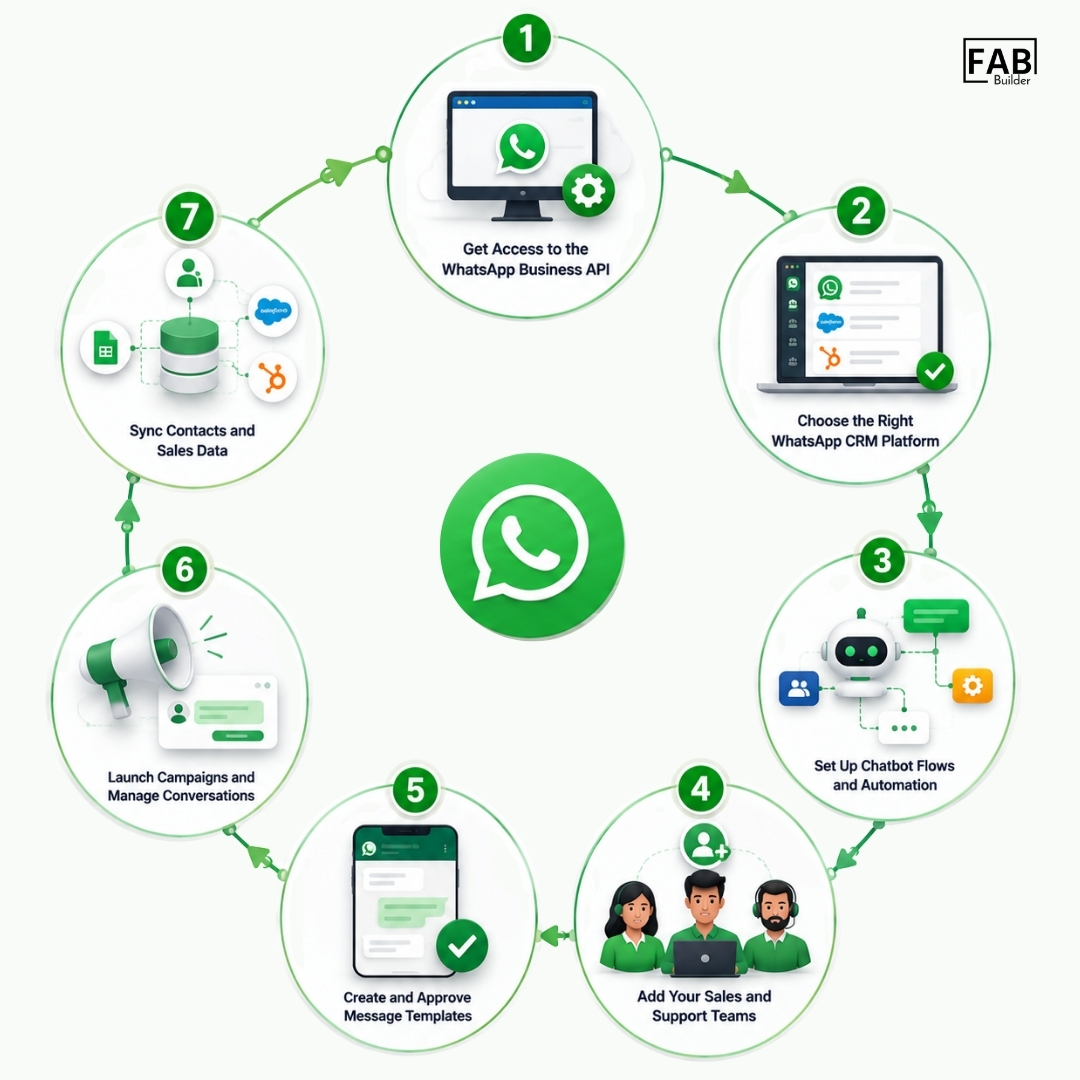
From startups to enterprise-level businesses, WhatsApp CRM software is redefining how companies interact with their customers—making communication faster, smarter, and more data-driven. And the best part? You can find both premium and WhatsApp CRM free options that suit different business sizes and budgets. Beginner’s Guide: Getting Started with WhatsApp CRMReady to implement WhatsApp CRM in your business? Here’s how to get started:
Different Types of WhatsApp CRM Tools ExplainedNot all WhatsApp CRM solutions are created equal. Depending on your business size, budget, and existing tech stack, you’ll find different types of WhatsApp CRM systems that vary in complexity and functionality. Here’s a breakdown of the three main categories:
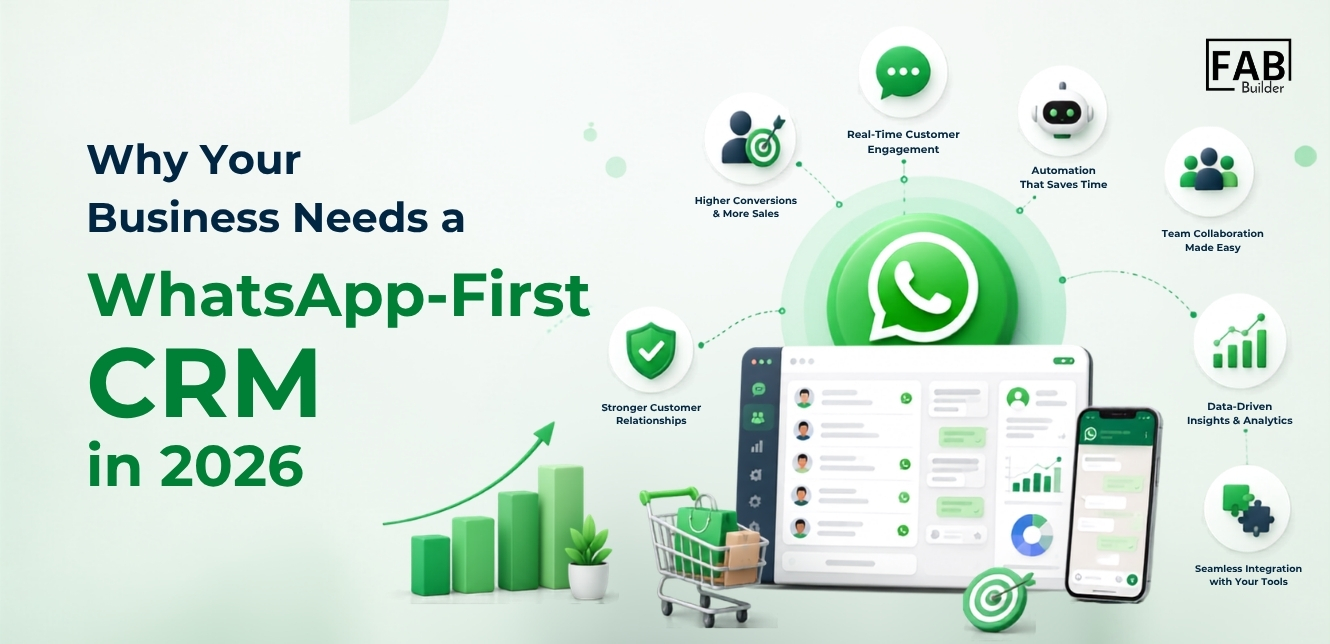
Why Your Business Needs a WhatsApp-First CRM in 2026
In 2026, WhatsApp is no longer just a personal messaging app—it’s a mission-critical channel for business communication. From product inquiries and customer support to order updates and promotional campaigns, customers are using WhatsApp to interact with brands more than ever before. And with over 2 billion active users globally, the opportunity is massive—but so is the complexity. That’s where a WhatsApp-first CRM comes in. Unlike traditional CRMs that treat WhatsApp as just another add-on, a WhatsApp-first CRM puts this platform at the center of your customer engagement strategy. It’s designed to help businesses scale real-time conversations, maintain quality interactions, and turn chats into conversions. Here’s why investing in a WhatsApp CRM solution is essential in 2026: 1. Customers Expect Instant, Personalized CommunicationToday’s customers want immediate responses—and WhatsApp is their go-to platform. Whether they’re asking about a product, tracking an order, or requesting support, they expect replies within minutes. A WhatsApp CRM lets you meet these expectations through automation, pre-approved message templates, and smart routing to live agents. 2. Managing High Volume Messaging Is Impossible Without ItAs your business grows, your WhatsApp inbox gets flooded. Manually managing hundreds or thousands of chats is inefficient and error-prone. A WhatsApp CRM software provides features like chat assignment, tags, labels, and filters to help your team stay organized and efficient. You also get a shared team inbox, so multiple agents can handle one WhatsApp number seamlessly. 3. Scale Personalization with AutomationCustomers expect relevant, personalized conversations—not generic broadcasts. A WhatsApp integration CRM helps you segment contacts, automate drip campaigns, and personalize messages using customer data like purchase history, location, or behavior. This makes your communication more meaningful and results-driven. 4. Improve Internal Collaboration and AccountabilityWith a WhatsApp CRM integration, you can assign chats to specific team members, add internal notes, track conversation history, and monitor agent performance. This improves accountability and ensures your team works together effectively—especially in remote or distributed environments. 5. Boost ROI on Campaigns with Real-Time InsightsRunning WhatsApp campaigns without analytics is like flying blind. With a WhatsApp-first CRM, you can track open rates, click-throughs, responses, and conversions directly within your dashboard. You’ll know what’s working, what’s not, and how to optimize your communication strategy for better ROI. 6. Seamless Integration Across Your Tech StackModern WhatsApp CRM platforms can be integrated with your existing tools—whether it’s your ecommerce platform, ticketing system, marketing automation software, or payment gateway. This creates a connected, omnichannel experience and eliminates data silos. How Whatsapp CRM Benefits Small Businesses
A WhatsApp CRM isn’t just about sending and receiving messages—it’s about building scalable, personalized, and data-driven customer journeys. Whether you’re a startup, ecommerce brand, or an enterprise with high-volume messaging needs, the right WhatsApp CRM software empowers your team to move faster, sell smarter, and serve better. Here are the top benefits of using a WhatsApp CRM in 2026: 1. Real-Time Communication with CustomersNo more switching between devices or missing important messages. A WhatsApp CRM consolidates all customer conversations in one centralized inbox, allowing your team to respond instantly, reduce wait times, and create seamless chat experiences—whether it’s a sales query, support request, or feedback. 2. Automated Follow-ups & WorkflowsTiming matters in customer engagement. With built-in automation, WhatsApp CRMs let you schedule personalized follow-up messages, send reminders, and create rule-based triggers to respond when your team is unavailable. This ensures consistent engagement without manual effort. 3. Multi-Agent Collaboration on One WhatsApp NumberA single WhatsApp Business number can now serve your entire team. With features like chat assignment, agent roles, and real-time internal notes, your sales, support, and operations teams can collaborate efficiently inside one shared inbox—without stepping on each other’s toes. 4. Seamless Integration with Business ToolsWhatsApp CRMs integrate effortlessly with tools you already use, such as Shopify, WooCommerce, Google Sheets, HubSpot, Salesforce, Razorpay, and more. Whether it’s syncing customer data, triggering automated messages based on purchases, or updating your CRM pipeline, everything works in sync. 5. Personalized Campaign ManagementGo beyond generic broadcasts. With a WhatsApp CRM, you can run segmented, personalized campaigns based on behavior, demographics, or past interactions. Track delivery rates, clicks, and responses in real time—and adjust your strategy to boost engagement and ROI. 6. Lead Management & Sales Pipeline VisibilityTrack every customer interaction from first touch to final conversion. WhatsApp CRMs come with built-in sales pipelines where you can monitor deal stages, view lead history, and forecast conversions. It transforms WhatsApp from a messaging app into a revenue-driving tool. Must-Have Key Features of a WhatsApp CRM Platform [2026]A modern WhatsApp CRM in 2026 does more than just centralize chats—it enables businesses to automate conversations, scale support, and drive revenue from a single communication hub. As customer expectations continue to rise, here are the essential features your business should look for in a WhatsApp CRM platform:
Common Use Cases for WhatsApp CRM in Sales and Support
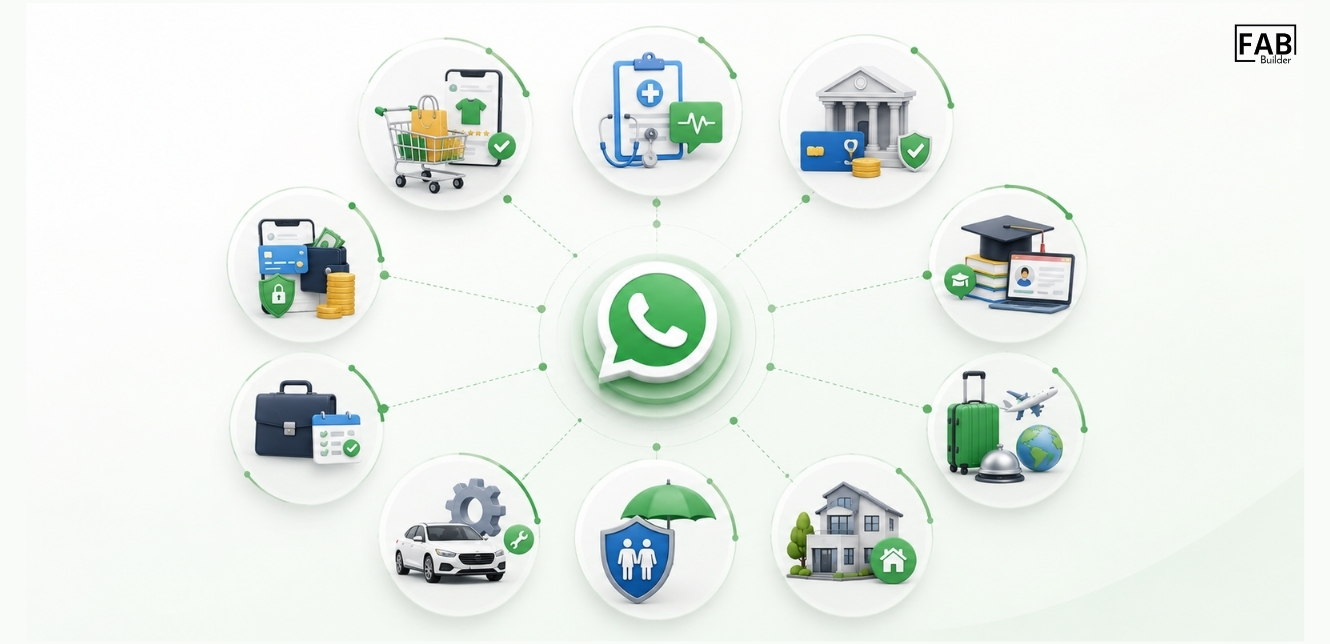
A WhatsApp CRM is not limited to one industry—it’s a versatile solution adopted across sectors to improve customer engagement, automate processes, and drive conversions. Here’s how different industries are leveraging WhatsApp CRM in 2026:
How to Set Up a WhatsApp Sales CRM Step-by-StepSetting up a WhatsApp Sales CRM can significantly streamline your lead generation, customer engagement, and sales workflows. Here’s a step-by-step guide to get started:
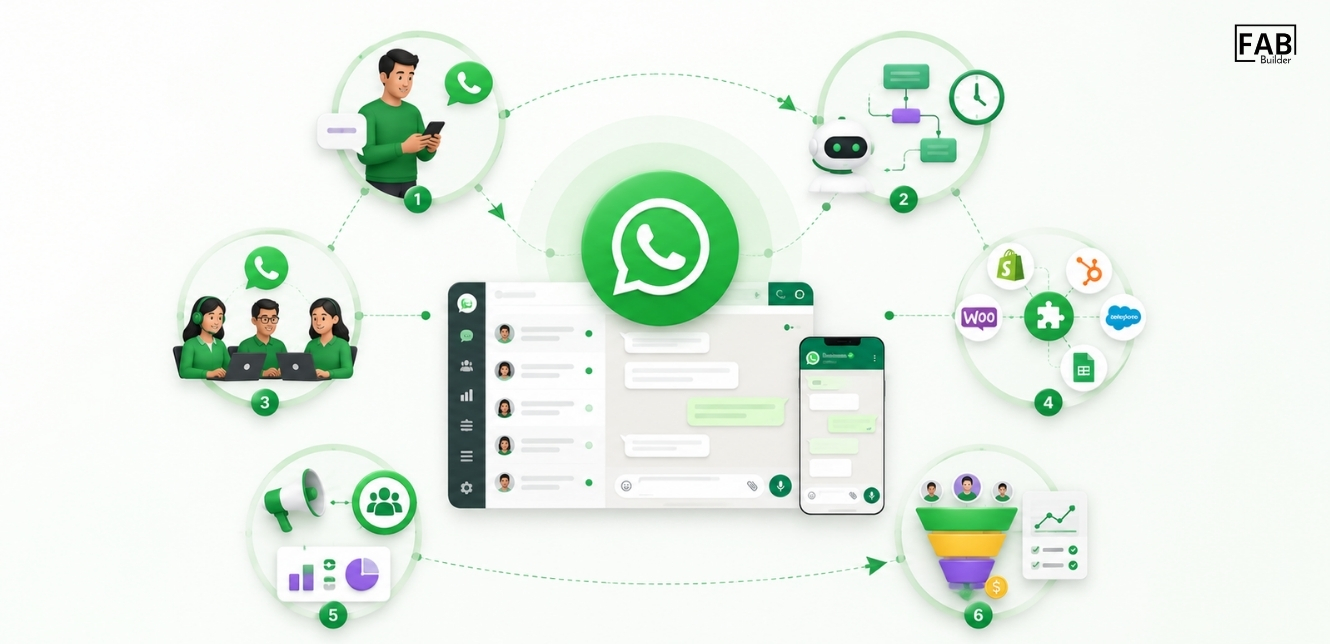
How WhatsApp CRM Integration Works
In today’s fast-moving business environment, fragmented communication leads to lost opportunities. That’s where WhatsApp CRM integration comes in—it bridges the gap between real-time conversations and your internal sales, support, or marketing workflows. By connecting WhatsApp with your CRM system, you create a centralized hub that not only captures conversations but also turns them into actionable insights. What Does WhatsApp CRM Integration Actually Do?At its core, WhatsApp CRM integration connects your WhatsApp Business API to your CRM platform—like FAB CRM—enabling seamless data flow, automation, and better visibility across teams. It eliminates the need to toggle between apps or manually log customer information, reducing response time and increasing productivity. Key Use Cases for WhatsApp CRM IntegrationHere’s how businesses are using WhatsApp CRM integration to streamline operations and enhance customer engagement:
Why It MattersWhether you refer to it as WhatsApp CRM integration, WhatsApp integration CRM, or WhatsApp-to-CRM connection, the goal is the same: to unify customer conversations with your internal systems for better, faster decision-making. With FAB CRM, this integration becomes more than a technical bridge—it becomes the foundation for a more responsive, efficient, and personalized customer journey. FAB Whatsapp CRM: Your All-in-One Business Solution
If you’re looking for a powerful yet easy-to-use WhatsApp CRM, FAB CRM ticks all the right boxes. With FAB CRM, you get:
Whether you run a D2C store, a real estate firm, or a fintech startup, FAB CRM helps you streamline conversations, convert faster, and scale smarter. WhatsApp CRM vs Traditional CRM: What’s the Difference?Here’s how WhatsApp CRM stands apart from conventional CRMs: 1. Communication Channels
2. Real-Time Chat
3. Automation Capabilities
4. Team Collaboration
5. Customer Engagement
Conclusion: Why WhatsApp CRM Is a Game-Changer for 2026 and BeyondAs customer expectations evolve, traditional communication channels no longer deliver the speed, personalization, or convenience modern consumers demand. WhatsApp CRM fills that gap—empowering businesses to meet customers where they already are: on WhatsApp. Whether you're in e-commerce, fintech, healthcare, or SaaS, a WhatsApp-first CRM like FAB CRM helps you streamline sales, improve response times, and build stronger customer relationships through automation, shared inboxes, and real-time engagement. By integrating WhatsApp with your existing CRM or business systems, you’re not just adding another channel—you’re transforming how your team communicates, sells, and supports. As we move further into 2026, businesses that embrace WhatsApp CRM will be better positioned to scale faster, serve smarter, and stay ahead of the competition. Ready to transform your customer experience? Start with a WhatsApp CRM solution that grows with you. |