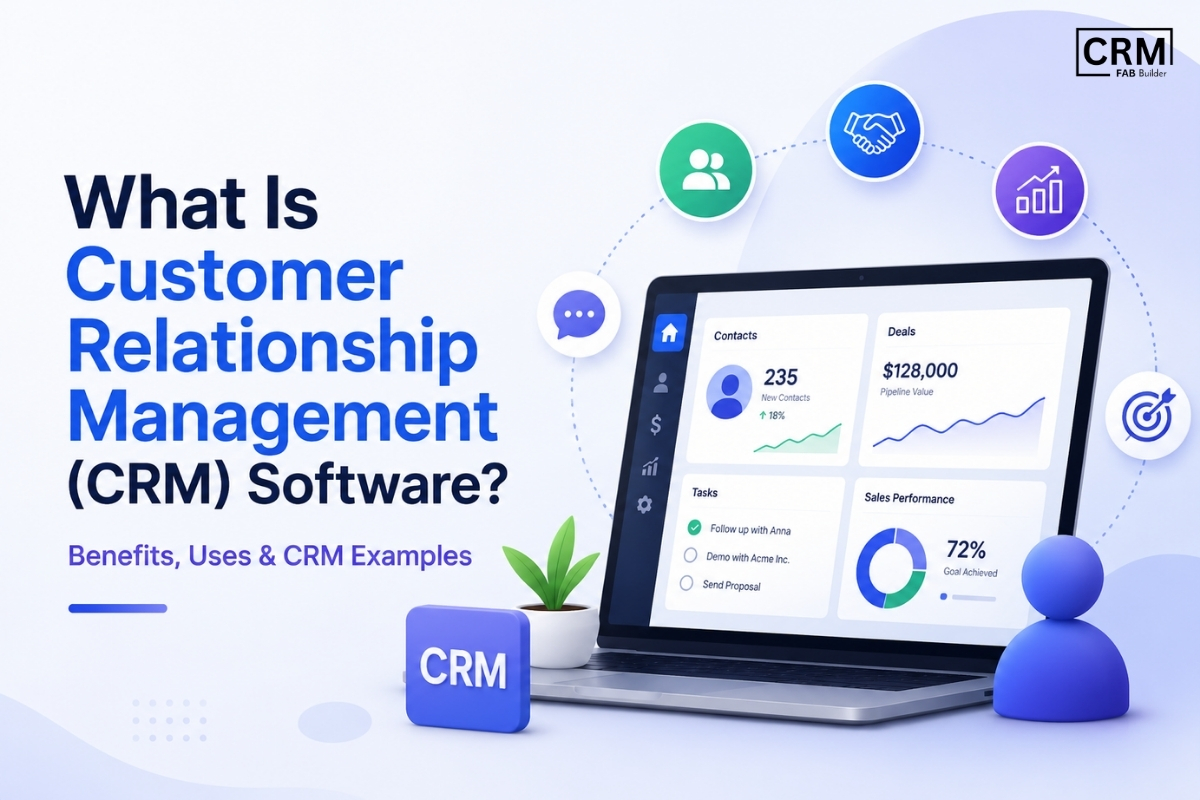
Did you know that businesses using CRM software can improve sales by up to 29%, increase customer retention by up to 27%, and boost sales productivity by 34%? As businesses manage more customer interactions across email, phone, WhatsApp, social media, and websites, relying on spreadsheets or manual tracking often leads to missed opportunities and slower response times. If you've searched for "What is CRM software?", "What is CRM used for?", or "How does a CRM system work?", you're in the right place. This guide answers all the essential questions—from understanding the basics of Customer Relationship Management (CRM) to exploring its features, benefits, use cases, and the best CRM solutions for businesses of every size. Whether you're a startup looking to organize leads, a growing business aiming to automate sales, or an enterprise managing thousands of customer relationships, CRM software provides a centralized platform to track interactions, streamline workflows, improve collaboration, and deliver better customer experiences. In this guide, you'll learn what CRM software is, how it works, what it's used for, the key features to look for, how to choose the right CRM platform, and which CRM solutions are best suited for sales teams and small businesses. What is a CRM Platform?
While CRM software primarily focuses on organizing customer data, tracking leads, and managing sales activities, a CRM platform goes a step further by enabling businesses to create custom workflows, integrate with third-party applications, and automate repetitive tasks. Depending on business requirements, CRM platforms are available in different deployment models:
Modern CRM platforms do much more than store customer information. They enable businesses to automate sales and marketing processes, connect with tools like email, WhatsApp, ERP systems, accounting software, and helpdesk applications, generate real-time reports, and streamline operations across multiple teams. This flexibility makes CRM platforms an essential foundation for businesses looking to scale efficiently and deliver exceptional customer experiences. What Is CRM used for?The main purpose of a CRM system is to streamline customer interactions, improve sales efficiency, and boost customer satisfaction. Businesses often struggle with scattered data, missed follow-ups, and inconsistent communication. A CRM solves these problems by:
With built-in sales automation and pipeline tracking, teams can prioritize high-value leads and reduce manual errors, ultimately increasing revenue and customer retention. What Does CRM Software Do?
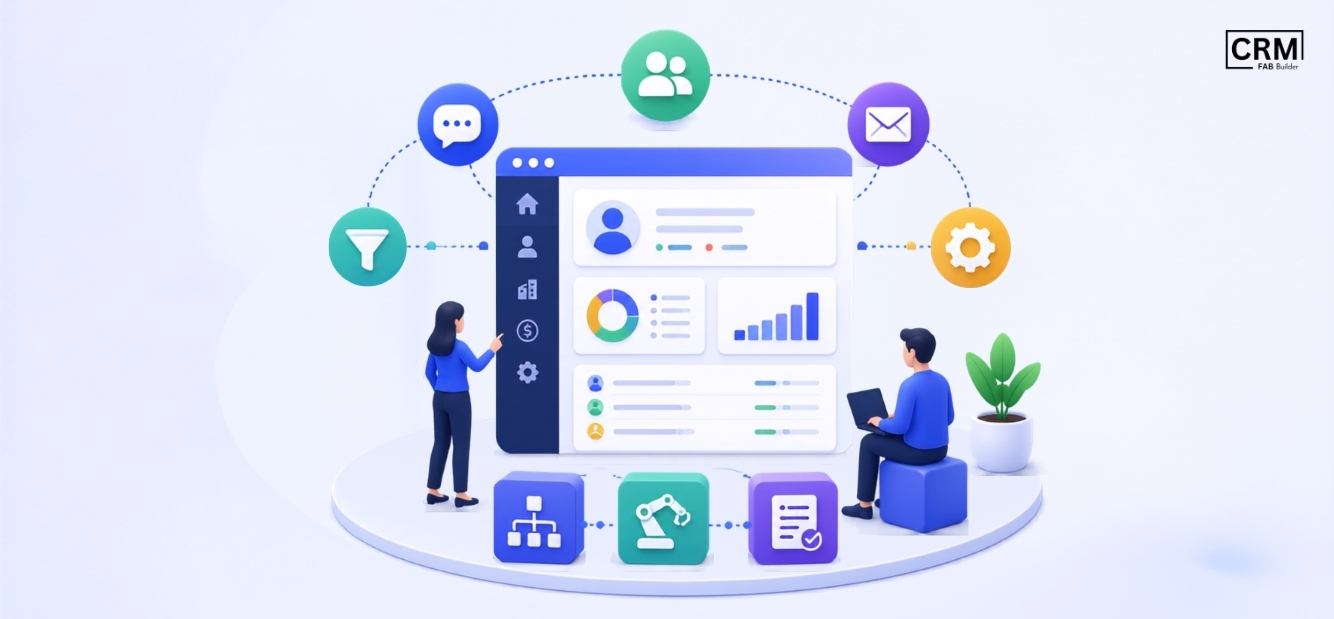
CRM software helps businesses manage every stage of the customer journey by organizing customer information and streamlining daily operations. Instead of relying on spreadsheets or scattered communication, it provides a centralized system where teams can track interactions, manage leads, and collaborate more effectively. A CRM system typically helps businesses:
By automating routine tasks and keeping customer information organized, CRM software enables teams to respond faster, close more deals, and deliver a better customer experience.
What Are the Key Features of a Good CRM System?Top features of modern CRM system include:
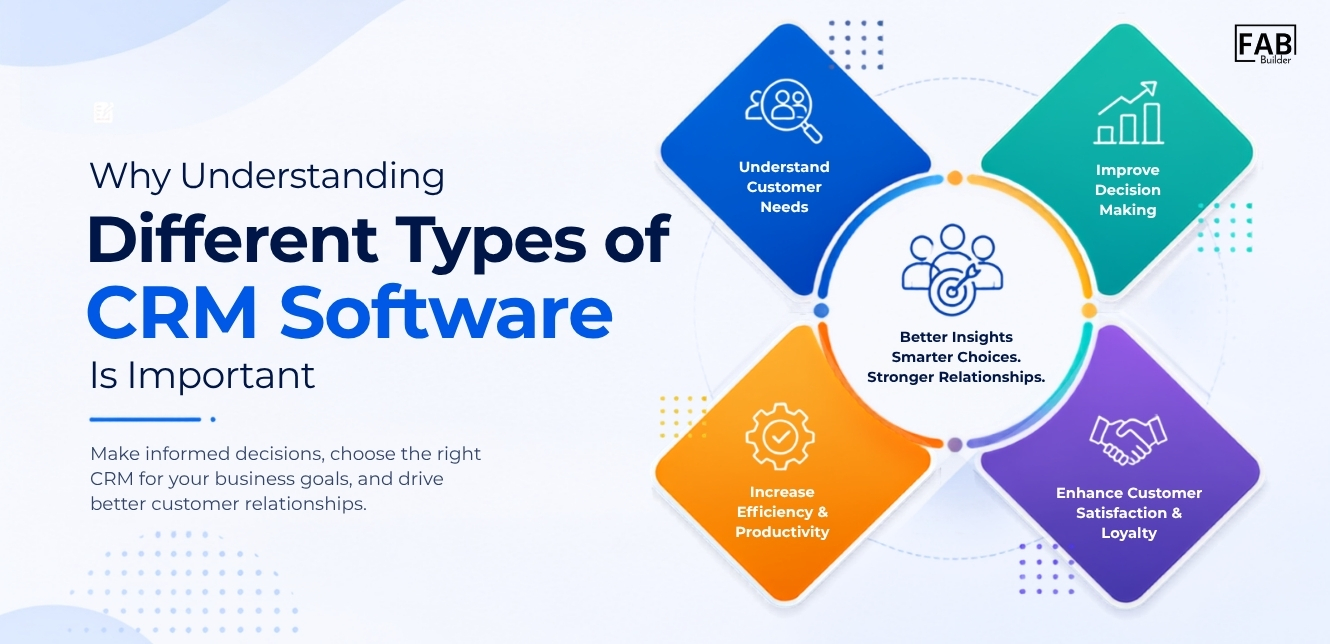
What Are the Different Types of CRM Software
CRM systems are designed to meet different business needs, and they can generally be categorized into three main types. Understanding these types will help you choose the CRM that aligns best with your business goals.
Choosing the right type of CRM depends on your business needs. For instance, small businesses looking to automate sales might prioritize operational CRM, while enterprises aiming for data-driven strategies may focus on analytical CRM. Many modern CRM platforms, like FAB CRM, combine all three types into a single solution, offering automation, analytics, and collaboration in one platform.
Benefits of CRM Software
How Does CRM Software Work?CRM software follows a structured process to capture, organize, and nurture customer relationships throughout the entire sales lifecycle. From the moment a potential customer visits your website to post-purchase support, every interaction is recorded and managed within a centralized system. CRM Workflow Example: Visitor ↓ Lead Captured ↓ Stored in CRM ↓ Assigned to Sales Representative ↓ Email/WhatsApp Automation ↓ Follow-up Reminders ↓ Deal Tracking ↓ Customer Purchase ↓ Support & Customer Retention This automated workflow helps businesses reduce manual effort, ensure timely follow-ups, improve team collaboration, and deliver a consistent customer experience at every stage of the customer journey. Top CRM Software to Consider in 2026The best CRM software depends on your business goals, team size, and sales workflow. Some platforms excel at enterprise-level customer management, while others focus on ease of use, sales automation, or omnichannel communication. Compare the leading CRM solutions below to find the one that best fits your business needs.
How Do Businesses Use CRM Software to Boost Sales and Improve Support?Businesses use CRM software to:
With FAB CRM, a marketing team can segment leads, run targeted campaigns, and track engagement, resulting in higher conversion rates. What CRM Software Can’t Do for Your BusinessWhile CRM software is powerful, it doesn’t guarantee success on its own. Limitations include:
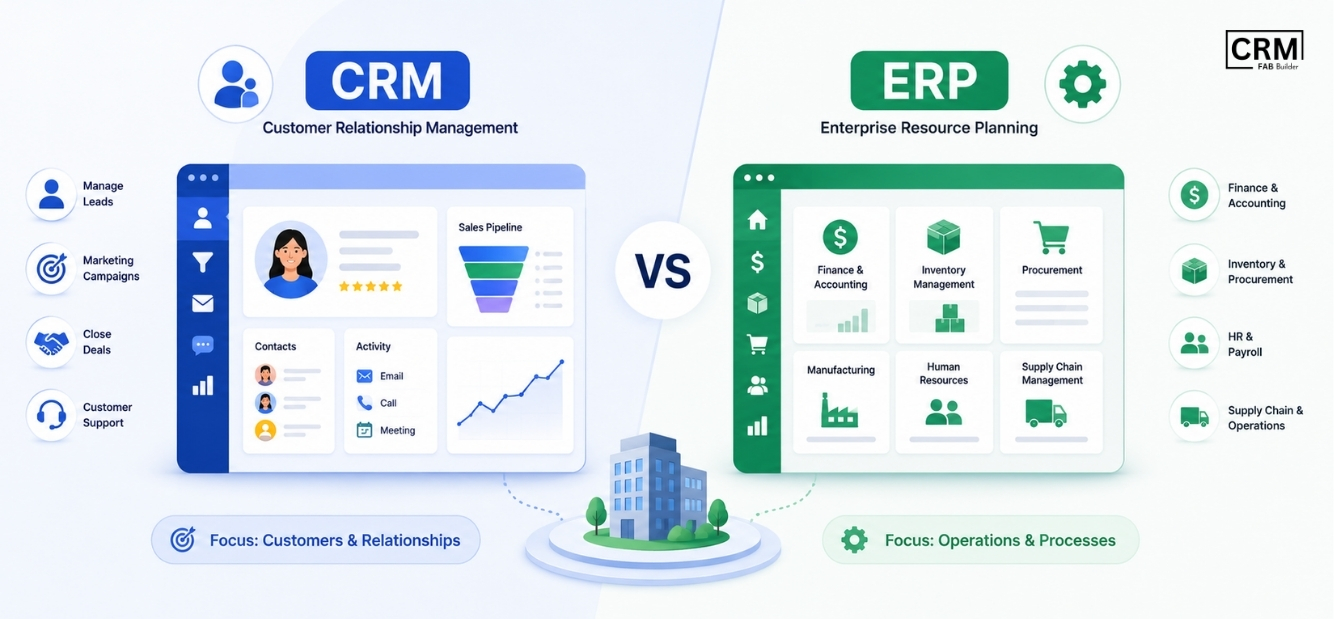
The software is only as effective as the strategy and processes behind it. CRM Software vs ERP
Although CRM (Customer Relationship Management) and ERP (Enterprise Resource Planning) systems are both essential business software solutions, they serve different purposes. CRM software focuses on managing customer relationships, sales activities, marketing campaigns, and customer support. Its primary goal is to help businesses attract leads, nurture prospects, close more deals, and improve customer satisfaction. An ERP system, on the other hand, is designed to manage core business operations such as finance, accounting, inventory, procurement, manufacturing, human resources, and supply chain management. ERP provides a centralized platform for internal business processes, helping organizations improve operational efficiency and resource planning. Common CRM IntegrationsModern CRM software becomes even more powerful when integrated with the tools your business already uses. These integrations eliminate manual data entry, automate workflows, and ensure seamless communication across sales, marketing, customer support, and operations. Some of the most common CRM integrations include:
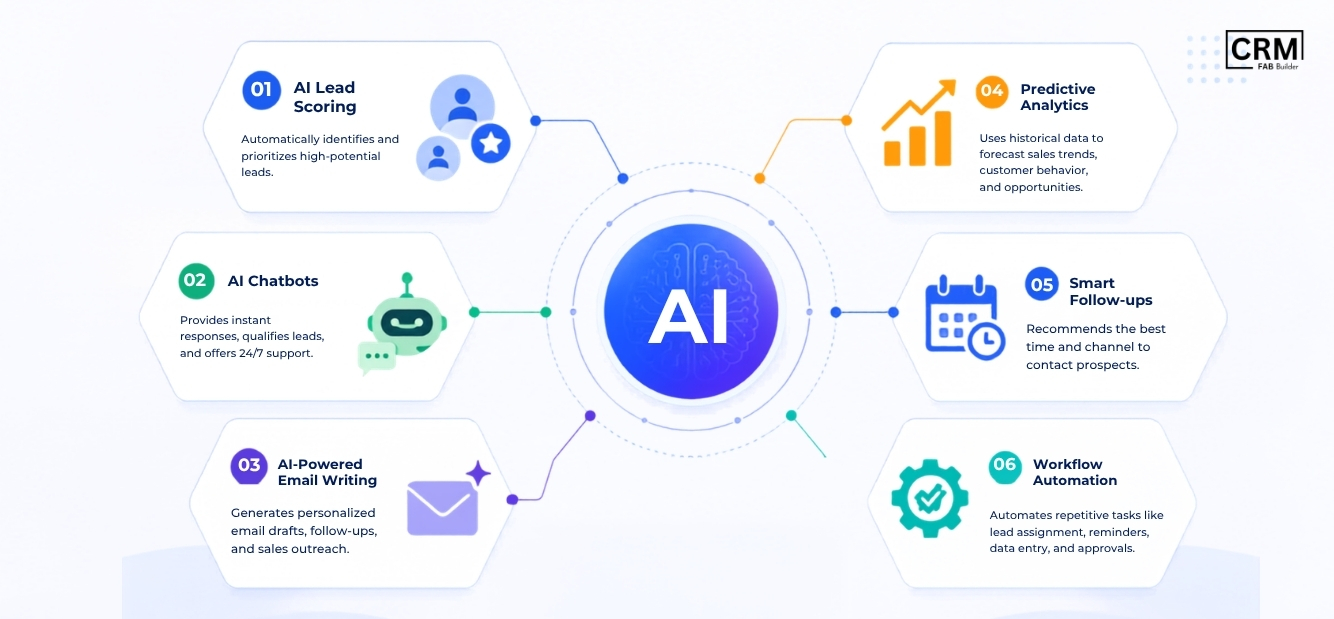
By integrating CRM software with your existing business applications, you can automate repetitive tasks, improve data accuracy, enhance collaboration, and create a unified view of every customer throughout their journey. Why Businesses Are Switching to AI CRM
Artificial Intelligence (AI) is transforming how businesses manage customer relationships, making CRM software smarter, faster, and more efficient. Instead of handling repetitive tasks manually, AI-powered CRM systems automate processes, analyze customer data, and provide actionable insights that help teams make better decisions and deliver personalized customer experiences. Here are some of the key reasons businesses are adopting AI CRM:
By combining automation with intelligent insights, like FAB AI CRM helps businesses increase productivity, improve customer engagement, accelerate sales cycles, and make data-driven decisions. As AI technology continues to evolve, it is becoming an essential feature for organizations looking to scale efficiently and stay competitive. Conclusion: Why Your Business Needs CRM SoftwareCRM software has become an essential tool for businesses looking to strengthen customer relationships, streamline sales processes, and improve overall productivity. By centralizing customer data, automating repetitive tasks, and providing valuable insights, a CRM system enables teams to manage leads more effectively, close deals faster, and deliver exceptional customer experiences. Whether you're a startup, a growing small business, or a large enterprise, choosing the right CRM platform can have a significant impact on your business growth. When evaluating CRM software, consider factors such as ease of use, automation capabilities, integrations, scalability, reporting, and customer support to ensure it aligns with your business goals. If you're looking for a modern CRM solution that combines AI-powered automation, WhatsApp CRM, lead management, workflow automation, and real-time analytics, FAB CRM is designed to help you simplify customer relationship management and accelerate business growth. By adopting the right CRM platform, your business can improve team collaboration, enhance customer engagement, and build long-lasting relationships that drive sustainable success. |
{
"@context": "https://schema.org",
"@type": "BlogPosting",
"headline": "What Is CRM Software? A Complete Beginner's Guide",
"alternativeHeadline": "What Is CRM Software and How It Works",
"description": "Struggling to manage leads and customer relationships? Discover what Customer Relationship Management (CRM) software is & explore its features, types, benefits & how CRM software works.",
"image": "https://storage-for-tutors.ams3.cdn.digitaloceanspaces.com/tenant/651456610067eba9d6188aac/page/heroImage/7655fcfc-0dae-4dac-8a38-75d7cb6186a9.jpg",
"author": {
"@type": "Person",
"name": "Ishaan Puniani"
},
"publisher": {
"@type": "Organization",
"name": "FAB Builder"
},
"datePublished": "2026-05-01",
"dateModified": "2026-07-09",
"mainEntityOfPage": {
"@type": "WebPage",
"@id": "https://fabbuilder.com/blogs/what-is-crm-software-and-how-it-works/"
},
"keywords": [
"CRM Software",
"Customer Relationship Management",
"CRM Benefits",
"CRM Features",
"CRM Examples",
"CRM Uses",
"CRM System",
"Business CRM"
],
"wordCount": "3500",
"articleSection": "CRM",
"inLanguage": "en"
}
{
"@context": "https://schema.org",
"@type": "FAQPage",
"mainEntity": [
{
"@type": "Question",
"name": "What is CRM software?",
"acceptedAnswer": {
"@type": "Answer",
"text": "CRM (Customer Relationship Management) software is a tool that helps businesses manage, track, and optimize interactions with customers and prospects. It centralizes data, automates workflows, and provides actionable insights to improve sales, marketing, and customer support."
}
},
{
"@type": "Question",
"name": "What are the key features of CRM software?",
"acceptedAnswer": {
"@type": "Answer",
"text": "Key features include contact and lead management, sales pipeline tracking, marketing automation, customer support ticketing, analytics and reporting, workflow automation, and multi-channel integrations."
}
},
{
"@type": "Question",
"name": "How does CRM software work?",
"acceptedAnswer": {
"@type": "Answer",
"text": "CRM software collects customer data from multiple channels, organizes it into dashboards, automates repetitive tasks, tracks interactions, and generates insights to help teams make informed decisions."
}
},
{
"@type": "Question",
"name": "What are the types of CRM software?",
"acceptedAnswer": {
"@type": "Answer",
"text": "There are three main types:
Operational CRM: Automates sales, marketing, and support processes.
Analytical CRM: Provides data insights and reporting for strategic decisions.
Collaborative CRM: Facilitates team collaboration and shared customer visibility."
}
},
{
"@type": "Question",
"name": "How do businesses use CRM software?",
"acceptedAnswer": {
"@type": "Answer",
"text": "Businesses use CRM software to manage leads, automate sales and marketing tasks, track customer interactions, enhance support, analyze customer behavior, and improve team collaboration."
}
{
"@type": "Question",
"name": "What are the benefits and ROI of CRM Software?",
"acceptedAnswer": {
"@type": "Answer",
"text": "Benefits include increased lead conversion, improved customer satisfaction, higher revenue per sales rep, reduced manual tasks, and better decision-making through data-driven insights. ROI is often realized within 3–6 months."
}
{
"@type": "Question",
"name": "Can CRM software automate business process?",
"acceptedAnswer": {
"@type": "Answer",
"text": "Yes. CRM software enables automation of lead assignment, follow-ups, reminders, workflows, and customer engagement campaigns, making business processes more efficient and consistent."
}
{
"@type": "Question",
"name": "What CRM software should I choose for my business?",
"acceptedAnswer": {
"@type": "Answer",
"text": "The right CRM depends on your business size, workflow, and goals. Look for a solution that offers essential features, ease of use, integration capabilities, scalability, and measurable ROI. Solutions like FAB CRM combine AI, automation, and multi-channel support for comprehensive business management."
}
}
]
}
{
"@context": "https://schema.org",
"@type": "HowTo",
"name": "How CRM Software Works",
"description": "Learn how CRM software manages customer data, automates workflows, and improves customer relationships.",
"totalTime": "PT10M",
"step": [
{
"@type": "HowToStep",
"position": 1,
"name": "Lead Captured",
"text": "Capture leads automatically from website forms, landing pages, emails, phone calls, social media, ads, and other customer touchpoints."
},
{
"@type": "HowToStep",
"position": 2,
"name": "Stored in CRM",
"text": "Store all customer details, conversations, activities, documents, and interaction history in a centralized CRM database for easy access."
},
{
"@type": "HowToStep",
"position": 3,
"name": "Assigned to Sales Representative",
"text": "Automatically assign new leads to the appropriate sales representative based on predefined rules such as location, product, or team workload."
},
{
"@type": "HowToStep",
"position": 4,
"name": "Email/WhatsApp Automation",
"text": "Monitor emails, calls, meetings, support tickets, and every interaction throughout the customer journey."
},
{
"@type": "HowToStep",
"position": 5,
"name": "Follow-up Reminders",
"text": "Generate reports and dashboards to evaluate sales performance, marketing campaigns, and customer engagement."
}
{
"@type": "HowToStep",
"position": 6,
"name": "Deal Tracking",
"text": "Generate reports and dashboards to evaluate sales performance, marketing campaigns, and customer engagement."
}
{
"@type": "HowToStep",
"position": 7,
"name": "Customer Purchase",
"text": "Generate reports and dashboards to evaluate sales performance, marketing campaigns, and customer engagement."
}
{
"@type": "HowToStep",
"position": 8,
"name": "Support & Customer Retention",
"text": "Generate reports and dashboards to evaluate sales performance, marketing campaigns, and customer engagement."
}
]
}