Talk to Us
  • Products

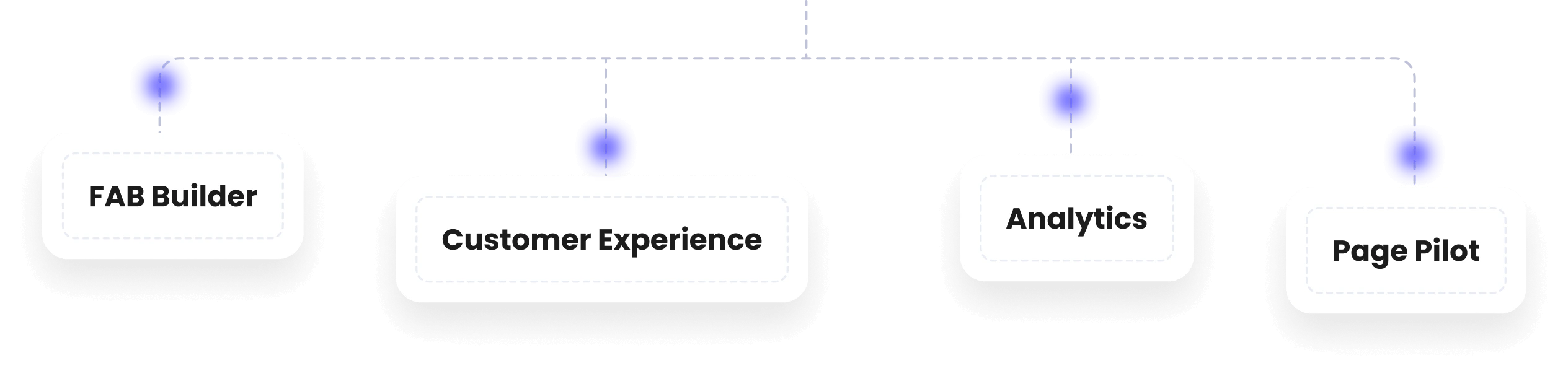
    FAB Studio

    Create web apps effortlessly with our intuitive no-code platform, enabling quick app launches.

    Analytics

    Monitor user behavior, track interactions, and gain insights to improve experiences.

    Customer Experience

    Omni-channel support, lead management, and customizable templates to engage customers.

    Page Pilot

    Design tooltips, banners, and personalized user experiences for your app or website.

    fab-full-package
  • Resources

    Blogs

    Explore articles and resources to help you create web apps effortlessly, launching projects faster with no-code tools

    Case Studies

    Discover in-depth analyses of user behavior and insights to enhance interactions and improve customer experience

    Knowledge Base

    Access comprehensive support materials and templates to streamline engagement and manage leads effectively.

    Hackathon

    Join innovative challenges to build, collaborate, and showcase your skills across diverse projects and solutions.

  • Services

    Customization

    Tailor web apps to your needs with custom components, templates, and feature enhancements.

    Hosting

    Deploy and scale applications seamlessly with secure cloud hosting and DevOps solutions.

    Consultation

    Expert guidance on app development, strategy, and optimization for enhanced performance.

    Professional Services

    Access industry experts to streamline app development, integrations, and automation.

    Hire a Developer

    Work with skilled developers to build, customize, and optimize your applications efficiently.

ChatGPT Alternatives: Best AI Tools Like ChatGPT in 2026

image
Ishaan Puniani
Jan 9, 2026
ChatGPT Alternatives: Best AI Tools Like ChatGPT in 2026
  1. Home
  2. >
  3. Blogs
  4. >
  5. AI
  6. >
  7. chatgpt-alternatives-ai-tools-like-chatgpt

Artificial intelligence is no longer an experimental technology — it has become a core driver of modern software development, business automation, and digital transformation. Tools like ChatGPT have played a major role in accelerating this shift, enabling teams to generate content, write code, analyze data, and automate conversations at scale. However, as AI adoption deepens, developers, CTOs, founders, and tech leaders are increasingly searching for alternatives to ChatGPT that offer greater flexibility, better control, or more specialized capabilities.

From open-source language models to enterprise-grade platforms, today’s ecosystem is filled with powerful AI tools like ChatGPT designed for different use cases. Whether you’re exploring a free ChatGPT alternative, evaluating ChatGPT competitors for enterprise deployment, or simply trying to understand which AI tool like ChatGPT fits your product or workflow, the choices can feel overwhelming.

This guide breaks down the most relevant AI like ChatGPT, explains how they differ, and helps you identify the best alternative of ChatGPT based on real-world business and development needs — without hype, jargon, or sales fluff.

Top 20+ Alternatives to ChatGPT: TL;DR

Top AI Tools Like ChatGPT & ChatGPT Alternatives:

  1. Claude (Anthropic): Best for thoughtful, safe, and enterprise-grade long-form AI writing

  2. Google Gemini (formerly Bard): Best for high-level reasoning, coding, and search-integrated AI

  3. Perplexity AI: Best AI tool for research with citation-backed answers

  4. Microsoft Copilot (Azure AI): Best enterprise AI with secure integrations and productivity tools

  5. FAB Studio: Best no-code/low-code AI app builder for developers, teams, and startups

  6. Mistral AI: Best for fast, open-source language model deployment and fine-tuning

  7. Falcon LLM: Best AI for high-performance, self-hosted language model applications

  8. Hugging Face Transformers: Best open-source platform for experimenting with multiple LLMs

  9. Cohere: Best AI for natural language understanding, embeddings, and semantic search

  10. OpenAI API (Custom GPT Models): Best for tailored AI models and custom deployments

  11. Amazon Bedrock: Best enterprise AI platform for scalable model integration

  12. IBM Watsonx: Best AI for regulated industries and enterprise-grade applications

  13. Groq AI: Best AI for high-performance inference and real-time AI applications

  14. xAI Grok: Best for conversational AI and personalized interactions

  15. Character AI: Best for creating personality-driven chatbots and interactive experiences

  16. YouChat (You.com): Best multi-model AI search and productivity tool

  17. Jasper AI: Best for brand marketing and high-conversion copy generation

  18. Writesonic: Best AI for SEO-friendly content creation and marketing automation

  19. DeepSeek AI: Best AI for deep research, content analysis, and data insights

  20. Replit AI: Best for coding assistance, pair programming, and developer productivity

  21. Meta LLaMA: Best open-source AI for customizable self-hosted LLMs

Best Alternatives To ChatGPT in 2026

1. Claude (Anthropic)

Best For: Thoughtful, safe, and enterprise-grade long-form AI writing

Overview:
Claude is a conversational AI developed by Anthropic, designed for high-quality, safe, and aligned text generation. It excels in long-form reasoning, document summarization, content creation, and internal knowledge workflows. Its focus on safety and reduced AI hallucinations makes it ideal for enterprises and regulated industries.

Key Advantages:

  • Excellent for long-form writing and structured responses

  • Strong safety and alignment features, reducing harmful or biased outputs

  • Enterprise-ready with support for secure deployment

  • Handles multi-turn conversations and complex reasoning effectively

Disadvantages:

  • Limited API integrations compared to some competitors

  • May require a subscription for full enterprise features

  • Not ideal for real-time search-based queries

Best Use Cases:

  • Internal documentation and report generation

  • Knowledge management systems

  • Customer support bots with controlled responses

Pricing:

  • Subscription-based; enterprise pricing is custom and may include trial options

2. Google Gemini (formerly Bard)


Best For: High-level reasoning, coding, and search-integrated AI

Overview:
Google Gemini leverages Google’s real-time search and generative AI capabilities. It’s ideal for developers, analysts, and teams who need reasoning, summarization, and content generation combined with up-to-date information.

Key Advantages:

  • Real-time access to Google’s search data

  • Strong reasoning and coding support

  • Excellent for research and content summarization

  • Integrates well with Google Workspace

Disadvantages:

  • Free access may be limited or region-specific

  • Responses may prioritize search relevance over creative generation

  • Enterprise-level API access requires setup

Best Use Cases:

  • Research-based content creation

  • Coding assistance and debugging

  • Market intelligence and analysis

Pricing:

  • Free tier available; enterprise/API usage billed based on usage

3. Perplexity AI


Best For: Research with citation-backed answers

Overview:
Perplexity AI combines conversational AI with search to provide accurate, reference-backed answers. It’s perfect for researchers, academics, and knowledge workers who need concise, verifiable information.

Key Advantages:

  • Provides citation-backed responses

  • Fast and easy-to-use web interface

  • Summarizes complex topics effectively

  • Free tier is accessible for experimentation

Disadvantages:

  • Limited to creative or marketing content

  • Enterprise integrations require paid API access

  • May not scale for large team workflows without a subscription

Best Use Cases:

  • Academic research and literature reviews

  • Competitive intelligence

  • Knowledge management and reporting

Pricing:

  • Free tier available

  • Premium subscription unlocks advanced tools and API access

4. Microsoft Copilot (Azure AI)


Best For: Enterprise AI with secure integrations and productivity tools

Overview:
Microsoft Copilot integrates GPT-powered AI across Microsoft apps like Word, Excel, Teams, and Outlook. It enhances productivity with automated summarization, content generation, and workflow assistance while maintaining enterprise-grade security.

Key Advantages:

  • Deep integration with Microsoft 365

  • Enterprise-grade security and compliance

  • Supports text summarization, coding, and workflow automation

  • Scales for large organizations

Disadvantages:

  • Requires a Microsoft 365 subscription

  • Limited outside the Microsoft ecosystem

  • Responses may be constrained by enterprise policies

Best Use Cases:

  • Automated report generation

  • Meeting summarization and email drafting

  • Workflow automation in enterprises

Pricing:

  • Included in a Microsoft 365 enterprise subscription

  • Azure AI API billed based on usage

5. FAB Studio


Best For: No-code/low-code AI app builder for developers, teams, and startups

Overview:
FAB Studio is a no-code/low-code platform that allows teams to build web and mobile applications with AI-assisted workflows. It’s perfect for developers, CTOs, and startups looking to rapidly prototype, deploy, and scale AI-powered apps without heavy coding. FAB Studio supports integrations, customizable modules, and AI-driven automation.

Key Advantages:

  • Rapid app development with minimal coding

  • AI-assisted workflows for content, user onboarding, and automation

  • Supports enterprise integrations and scalable deployments

  • Ideal for prototyping, MVPs, and internal tools

Disadvantages:

  • May require technical understanding for advanced integrations

Best Use Cases:

  • Building AI-powered web and mobile apps

  • Internal productivity tools for teams

  • MVP creation for startups

  • Customer engagement and automated workflows

Pricing:

  • Offers subscription tiers based on app complexity and team size

  • Free trial available for testing

6. Mistral AI


Best For: Fast, open-source language model deployment and fine-tuning

Overview:
Mistral AI provides high-performance, open-source large language models optimized for real-time applications. It allows developers to build AI chatbots, virtual assistants, and NLP pipelines without relying on third-party hosted services. Mistral emphasizes speed, scalability, and flexibility for enterprise and developer use cases.

Key Advantages:

  • Open-source with full deployment control

  • High-performance for real-time AI applications

  • Flexible fine-tuning for domain-specific tasks

  • Strong community support and continuous updates

Disadvantages:

  • Requires ML expertise for setup and deployment

  • Hardware-intensive for large-scale models

  • Limited out-of-the-box UI or enterprise integrations

Best Use Cases:

  • AI chatbots and customer service automation

  • Real-time NLP applications

  • Internal knowledge management tools

  • Experimentation and research with LLMs

Pricing:

  • Free to use (open-source)

  • Costs associated with hosting and compute resources

7. Falcon LLM


Best For: High-performance, self-hosted language model applications

Overview:
Falcon LLM delivers low-latency, high-quality outputs for enterprise AI deployments. It is designed for organizations that require full control over their AI models while maintaining performance and reliability. Falcon is ideal for both developers and businesses building mission-critical AI services.

Key Advantages:

  • Optimized for low-latency and high-performance tasks

  • Self-hosted for complete data and privacy control

  • Supports fine-tuning for specialized use cases

  • Scalable across enterprise applications

Disadvantages:

  • Requires technical expertise for deployment

  • Infrastructure costs for hosting larger models

  • Limited pre-built applications or SaaS integrations

Best Use Cases:

  • Enterprise-grade AI assistants

  • Real-time language processing and chatbots

  • AI-driven analytics and decision support

  • Custom NLP solutions for internal teams

Pricing:

  • Open-source and free to use

  • Hosting and compute infrastructure are billed separately

8. Hugging Face Transformers


Best For: Experimenting with multiple open-source LLMs

Overview:
Hugging Face Transformers is a widely adopted open-source library that provides pre-trained models for NLP, embeddings, and text generation. It’s designed for developers and researchers who want to experiment with multiple models, fine-tune them, or integrate them into their applications.

Key Advantages:

  • Extensive library of pre-trained models and datasets

  • Supports multiple languages and tasks

  • Active developer community and frequent updates

  • Flexible integration via Python libraries and APIs

Disadvantages:

  • Requires technical knowledge to fine-tune models effectively

  • No built-in GUI; primarily a coding-focused platform

  • Computationally intensive for large-scale models

Best Use Cases:

  • Prototyping custom AI applications

  • NLP pipelines for sentiment analysis, summarization, and classification

  • Semantic search and recommendation engines

  • Academic research and model experimentation

Pricing:

  • Free and open-source

  • Paid options for Hugging Face Hub storage, inference API, and enterprise support

9. Cohere


Best For: Natural language understanding, embeddings, and semantic search

Overview:
Cohere offers NLP models designed for embedding generation, semantic search, and understanding. It allows developers to build AI applications with semantic reasoning, text classification, and AI-driven recommendations. Cohere emphasizes scalability, performance, and enterprise adoption.

Key Advantages:

  • Optimized for embeddings, search, and reasoning tasks

  • Enterprise-friendly with API support

  • Can handle large-scale NLP tasks efficiently

  • Provides pre-trained models and fine-tuning options

Disadvantages:

  • Focused primarily on embeddings and search; less suitable for creative text generation

  • Paid API needed for high-volume usage

  • May require developer expertise for advanced integration

Best Use Cases:

  • Semantic search engines

  • Recommendation systems

  • Customer support automation

  • Knowledge retrieval and analysis

Pricing:

  • Free tier for testing and low-volume usage

  • Paid API plans scale with request volume

10. OpenAI API (Custom GPT Models)


Best For: Tailored AI models and custom deployments

Overview:
OpenAI provides an API that allows developers to access GPT-powered language models and create custom AI solutions. It supports fine-tuning, embeddings, and integration into enterprise workflows, making it ideal for teams that want AI tailored to domain-specific needs.

Key Advantages:

  • Highly flexible with custom GPT models

  • Supports a wide range of applications: chatbots, content generation, coding

  • Scalable for small teams to enterprise deployments

  • Active documentation and community support

Disadvantages:

  • Paid API with usage-based pricing

  • Requires technical knowledge for fine-tuning and integrations

  • Some features may require multiple API calls, impacting cost

Best Use Cases:

  • Custom AI chatbots and assistants

  • Enterprise content generation

  • Knowledge automation and internal workflows

  • AI-powered coding tools and assistants

Pricing:

  • Usage-based pricing depending on token consumption

  • Free trial credits available for initial testing

11. Amazon Bedrock


Best For: Enterprise AI platform for scalable model integration

Overview:
Amazon Bedrock allows enterprises to access foundation AI models from multiple vendors without managing the underlying infrastructure. It’s designed for developers and businesses that need scalable AI solutions with flexibility and cost-effectiveness. Bedrock simplifies deployment and management while supporting secure, enterprise-grade applications.

Key Advantages:

  • Access multiple foundation models without hosting infrastructure

  • Highly scalable for enterprise workloads

  • Simplifies integration into existing workflows and applications

  • Secure, compliant, and cost-effective for large-scale AI projects

Disadvantages:

  • Enterprise-focused; may not suit small startups or individual developers

  • Paid service with usage-based pricing

  • Some customization may require technical expertise

Best Use Cases:

  • Enterprise AI applications across business functions

  • AI-driven analytics and automation

  • Large-scale NLP tasks and chatbots

  • Customer engagement and internal productivity tools

Pricing:

  • Usage-based pricing depending on the foundation model and API calls

  • Custom enterprise plans available

12. IBM Watsonx


Best For: Regulated industries and enterprise-grade applications

Overview:
Watsonx combines AI models with advanced analytics, NLP, and compliance-focused tools. It’s ideal for highly regulated sectors like finance, healthcare, or government, where data governance, security, and auditability are critical.

Key Advantages:

  • Enterprise-grade security and compliance tools

  • Combines NLP, AI models, and analytics in one platform

  • Supports regulated workflows and documentation

  • Scalable for large organizations

Disadvantages:

  • Enterprise-focused pricing can be high for small teams

  • A complex setup may require IBM consulting support

  • Less suited for simple or creative AI tasks

Best Use Cases:

  • Healthcare and financial AI workflows

  • Risk management and regulatory compliance

  • Enterprise-level NLP and analytics

  • Knowledge management in regulated sectors

Pricing:

  • Enterprise subscription-based pricing

  • Custom quotes depending on deployment and scale

13. Groq AI