The software development world is evolving faster than ever before, and with it, the way we write code is undergoing a massive transformation. Imagine a future where tedious, repetitive coding tasks are handled effortlessly, where your coding partner anticipates your needs, suggests smarter solutions, and even writes flawless snippets on your behalf — all powered by cutting-edge artificial intelligence. Welcome to the era of AI for coding. In 2026, AI coding tools aren’t just an optional luxury; they’re becoming indispensable game-changers for developers across the globe. These intelligent assistants supercharge productivity, reduce costly human errors, and accelerate time-to-market like never before. Whether you’re a solo developer juggling multiple projects or part of a large engineering team racing against tight deadlines, AI tools for coding are the secret weapon that can turn your ideas into reality faster and better. They’re not just tools; they’re collaborative partners that help programmers write clean, efficient, and scalable code with confidence. In this ultimate guide, we dive deep into the top 20+ AI coding assistant tools in 2026 that are reshaping the developer landscape. Learn how these revolutionary AI coding assistants can transform your workflow, boost your coding accuracy, and unlock new levels of innovation. The Rise of AI for CodingArtificial Intelligence is no longer confined to data science and automation—it has firmly rooted itself in the world of software development. Today’s AI tools for developers are capable of understanding context, recommending optimal solutions, and even generating fully functional code snippets based on simple prompts. These tools are redefining traditional development processes and opening up new possibilities for both experienced engineers and beginners. The most significant benefits of using AI tools for coding include:
Whether you're building enterprise software, a SaaS product, or just experimenting with code, adopting the best AI tools for code can save time, reduce bugs, and ultimately deliver better software. What Are AI Coding Tools?
These tools use artificial intelligence technologies, like natural language processing (NLP), machine learning (ML), and deep learning, to understand code, suggest improvements, generate functions, and even write code based on natural language input. They’re revolutionizing how software is built by helping developers write faster, reduce errors, and maintain cleaner code. Key Features of AI Coding Tools1. Code AutocompletionAI suggests the next lines of code, reducing typing effort and minimizing syntactical errors. 2. Natural Language to CodeTranslate simple English descriptions into functional code, speeding up prototype development. 3. Bug Detection & FixesIdentify vulnerabilities and offer real-time recommendations for security or performance improvements. 4. Code RefactoringAutomatically reformat and optimize existing code for better performance and readability. 5. Cross-Language SupportMany tools can work across multiple programming languages, making them versatile in multilingual environments. 6. Integrated Documentation LookupQuick, context-aware suggestions and documentation lookup without leaving your IDE. 7. Seamless IDE IntegrationMost tools plug directly into popular editors like VS Code, IntelliJ, or WebStorm for a frictionless experience. What Is the Best AI Coding Assistant?The best AI coding assistant depends on your development needs, workflow, and budget. Some tools focus on intelligent code completion, while others help generate full applications, debug code, improve security, and speed up delivery. Developers, startups, and enterprises often choose different tools based on language support, IDE compatibility, collaboration features, and pricing. How Do AI Coding Tools Work?AI coding assistants are typically trained on massive codebases—open-source projects, documentation, and language rules. These models learn patterns, syntax, and best practices. When you begin coding, the AI analyzes your current file, context, and input to make predictions or generate relevant suggestions. Some tools use transformer-based models (like GPT or CodeT5), while others are trained specifically for particular stacks or languages. Many also continuously learn from your project or team’s codebase to personalize recommendations. Who Uses AI Coding Tools?
List of 24 Best AI Coding Assistants in 2026AI-Powered Development & Full-Stack Builders
AI Code Completion & Developer Productivity Tools
AI Code Quality, Security & Review Tools
AI Code Generation & Multi-Language Development Tools
AI Learning, Practice & Developer Education Tools
Legacy / Discontinued Tools
Compare Top AI Coding Assistants
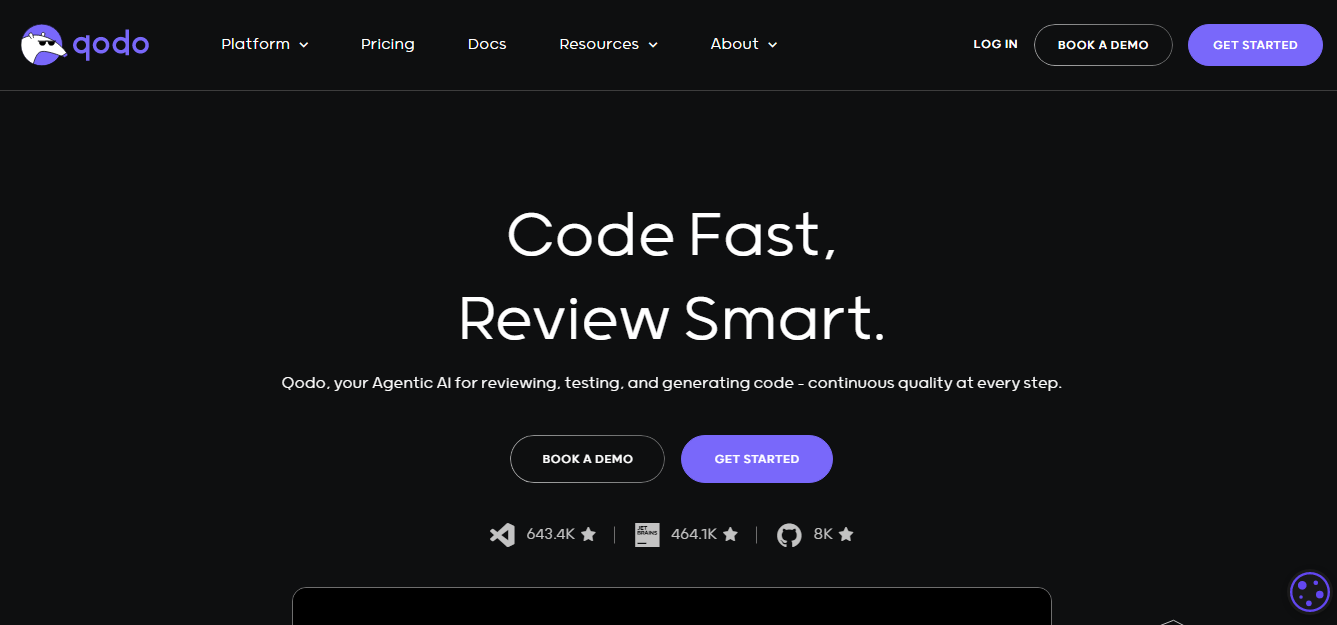
1. Qodo
OverviewQodo is an AI-powered coding assistant designed to improve software development productivity through intelligent code generation, automated reviews, testing support, and code optimization. Unlike traditional autocomplete tools, Qodo understands project context and existing code patterns to provide more relevant and production-oriented suggestions. It helps developers reduce repetitive work, maintain cleaner architecture, and accelerate delivery cycles. Key Features of Quodo
Best For
Pricing
Reviews
Pros
Cons
2. Codeium
OverviewCodeium is an AI-powered coding assistant built to help developers write code faster through intelligent code completion, AI chat, and productivity-focused development features. Known for offering a generous free plan, Codeium supports multiple programming languages and integrates directly into popular IDEs to create a seamless coding experience. It is designed for developers who want AI-assisted development without adding unnecessary complexity to their workflow. Codeium analyzes coding context in real time to generate relevant suggestions, helping developers reduce repetitive work, accelerate implementation, and improve overall development efficiency. Its lightweight setup and broad language compatibility make it suitable for individual developers, startups, and engineering teams. Key Features
Best For
Pricing
Reviews
Pros
Cons
3. AskCodi
OverviewAskCodi is an AI-powered coding assistant designed to help developers write, understand, and improve code through an interactive, conversational experience directly inside their development workflow. Unlike traditional code completion tools that focus primarily on autocomplete, AskCodi acts more like a coding companion by responding to natural language prompts, generating code snippets, explaining technical concepts, and assisting with debugging tasks. Built for developers across different experience levels, AskCodi helps simplify software development by turning complex programming problems into actionable solutions. Whether creating functions, understanding unfamiliar frameworks, or troubleshooting errors, developers can interact with AskCodi to receive context-aware guidance without constantly switching between documentation, forums, and external resources. AskCodi supports multiple programming languages and development frameworks, making it suitable for web, mobile, backend, and full-stack development workflows. Its AI-assisted approach helps reduce development time, improve code quality, and accelerate learning through real-time assistance. Key Features
Best For
Pricing
Reviews
Pros
Cons
4. Kite (Discontinued)
Kite is a sophisticated AI-powered coding assistant designed to supercharge developer productivity by delivering real-time code completions and in-line documentation right within your favorite code editors. Built on cutting-edge machine learning techniques, Kite’s autocomplete engine predicts your next few lines of code with remarkable accuracy, helping reduce the time spent typing repetitive code and minimizing syntax errors. Kite’s strength lies in its ability to understand vast amounts of open-source code and recognize patterns across different programming languages, including Python, JavaScript, Java, and more. This enables it to offer highly relevant suggestions tailored to your current coding context and style. Moreover, Kite supports multi-line completions, allowing developers to generate entire blocks of code—such as loops, conditional statements, or API calls—with a single keystroke, significantly speeding up coding workflows. Another key feature of Kite is its in-editor documentation lookup, which instantly surfaces detailed explanations, function signatures, and usage examples for libraries and APIs. This feature reduces context switching by keeping developers focused in their coding environment, thereby improving concentration and reducing cognitive load. Kite also supports integrations with popular IDEs such as VS Code, PyCharm, Atom, and Sublime Text, ensuring a smooth and consistent experience across different development setups. Its freemium pricing model makes it accessible to individual developers and teams alike, offering an excellent balance between functionality and affordability. 5. FAB Builder
FAB Builder is a cutting-edge AI-assisted code generation platform designed to accelerate modern web and mobile app development. Tailored for startups, enterprises, and development teams, it blends AI-assisted automation with customizable templates and one-click deployment. Whether you're building internal tools, client-facing applications, or SaaS products, FAB Builder offers a unified workspace to ideate, build, and launch efficiently. Core Features:
Use Cases:
Ideal For:
6. GitHub Copilot
OverviewGitHub Copilot is one of the most widely adopted AI coding assistants designed to help developers write code faster and improve productivity across the software development lifecycle. Built through collaboration between GitHub and OpenAI, Copilot goes beyond traditional autocomplete by generating code suggestions, functions, classes, and entire logic blocks directly inside supported development environments. Using natural language prompts and project context, GitHub Copilot helps developers transform ideas into working code with minimal manual effort. Developers can describe requirements in plain language and receive intelligent code recommendations that align with their current workflow and coding patterns. GitHub Copilot supports multiple programming languages and modern development stacks, making it useful for frontend, backend, mobile, and full-stack projects. Its real-time assistance enables faster development, reduced boilerplate coding, and improved experimentation when working with new technologies. Key Features
Best For
Pricing
Reviews
Pros
Cons
7. Tabnine
OverviewTabnine is an AI-powered coding assistant designed to help developers write code faster while maintaining privacy, consistency, and development efficiency. Unlike traditional autocomplete tools, Tabnine uses AI-driven code prediction to generate context-aware suggestions, helping developers reduce repetitive coding tasks and accelerate software delivery. Built with a strong focus on privacy and customization, Tabnine integrates directly into developer workflows and supports both cloud-based and local deployment approaches. Its intelligent completion engine understands project context and coding patterns to generate relevant recommendations that align with existing development practices. One of Tabnine’s standout capabilities is team-aware development support. Organizations can customize AI behavior and align suggestions with internal coding standards to maintain consistency across large projects and distributed engineering teams. With broad IDE compatibility and support for multiple programming languages, Tabnine serves individual developers as well as enterprise environments. Key Features
Best For
Pricing
Reviews
Pros
Cons
8. IntelliCode
OverviewIntelliCode is Microsoft’s AI-powered coding assistant that enhances developer productivity inside Visual Studio and Visual Studio Code through intelligent, context-aware code recommendations. Built as an advanced extension of IntelliSense, it analyzes project patterns, coding conventions, and developer behavior to prioritize relevant suggestions, improve code consistency, reduce repetitive work, and accelerate software development workflows. Key Features
Best For
Pricing
Reviews
Pros
Cons
9. PolyCoder
OverviewPolyCoder is an open-source AI code generation tool built for developers who want greater transparency, flexibility, and control over AI-assisted development. Unlike proprietary coding assistants, PolyCoder enables experimentation, customization, and self-hosted usage while supporting code generation, code completion, and software development workflows across multiple programming languages. Key Features
Best For
Pricing
Reviews
Pros
Cons
10. Codex by OpenAI
OverviewCodex is an AI-powered code generation model designed to convert natural language instructions into functional code across multiple programming languages. It helps developers accelerate software development by generating code, assisting with debugging, improving documentation, and simplifying complex programming workflows through AI-assisted development. Key Features
Best For
Pricing
Reviews
Pros
Cons
11. DeepCode AI
OverviewDeepCode AI is an AI-powered static code analysis tool designed to help developers identify bugs, security vulnerabilities, and code quality issues earlier in the software development process. By analyzing code patterns and providing intelligent recommendations, DeepCode helps teams improve reliability, reduce technical debt, and maintain higher development standards. Key Features
Best For
Pricing
Reviews
Pros
Cons
12. Codiga
OverviewCodiga is an AI-powered code quality and analysis platform that helps developers improve maintainability, security, and coding standards through automated code reviews and intelligent recommendations. It provides real-time feedback during development, enabling teams to identify issues early and maintain cleaner, more reliable code across projects. Key Features
Best For
Pricing
Reviews
Pros
Cons
13. Amazon CodeWhisperer
OverviewAmazon CodeWhisperer is an AI-powered coding assistant developed by AWS to help developers generate code faster while improving security and cloud development efficiency. It provides intelligent code suggestions based on natural language prompts and coding context, making it especially useful for building, deploying, and managing applications within cloud-native environments. Key Features
Best For
Pricing
Reviews
Pros
Cons
14. Snyk
OverviewSnyk is a developer-focused application security platform that helps teams identify, prioritize, and remediate vulnerabilities across code, open-source dependencies, containers, and infrastructure configurations. By integrating security directly into development workflows, Snyk enables faster and more secure software delivery without slowing engineering teams. Key Features
Best For
Pricing
Reviews
Pros
Cons
15. ShiftLeft
OverviewShiftLeft is an AI-powered application security platform designed to detect vulnerabilities early in the software development lifecycle. By embedding security directly into coding and delivery workflows, ShiftLeft helps development teams identify, prioritize, and remediate security risks faster while improving overall code quality and reducing deployment risks. Key Features
Best For
Pricing
Reviews
Pros
Cons
16. CodeT5
OverviewCodeT5 is an AI-powered code generation and code understanding model designed to help developers automate software development tasks across multiple programming languages. Built specifically for code-related workflows, it supports code generation, translation, summarization, documentation, and optimization to improve developer productivity and reduce manual effort. Key Features
Best For
Pricing
Reviews
Pros
Cons
. 17. Figstack
Figstack is designed for developers who want to use plain English to write and understand code. It blends natural language processing (NLP) with intelligent code generation, allowing users to describe what they want in human terms and get executable code in return. Some of Figstack’s standout features include:
Ideal for beginner developers, cross-functional teams, and technical writers, Figstack is more than just a code tool—it’s an AI-powered educational companion that boosts comprehension and productivity in multi-language environments. 18. CodeGeeX
OverviewCodeGeeX is an AI-powered multilingual coding assistant built to help developers generate, translate, optimize, and debug code across multiple programming languages. Designed for modern software development workflows, it supports context-aware code generation and improves productivity for teams working across diverse technology stacks. Key Features
Best For
Pricing
Reviews
Pros
Cons
19. TransCoder
TransCoder, developed by Facebook AI (Meta), is a powerful unsupervised code translation model that translates code between three major languages: Python, Java, and C++. Its primary aim is to automate code migration and simplify the porting of legacy systems to new platforms. What makes TransCoder exceptional:
This tool is a game-changer for large enterprises dealing with aging monoliths or expanding into new platforms. Rather than rewriting code manually, TransCoder accelerates transformation and reduces the risk of human error. 20. PolyglotPolyglot is a multi-language coding assistant designed to help developers manage the complexity of projects that span multiple technologies. It specializes in:
For teams building cross-platform mobile apps, distributed systems, or hybrid cloud solutions, Polyglot reduces the friction of switching between languages. It ensures that developers can maintain clean, consistent codebases, no matter how many languages they use. Its real-time feedback and multilingual understanding make Polyglot a crucial assistant in modern software development environments where technology stacks are more diverse than ever. 21. Replit
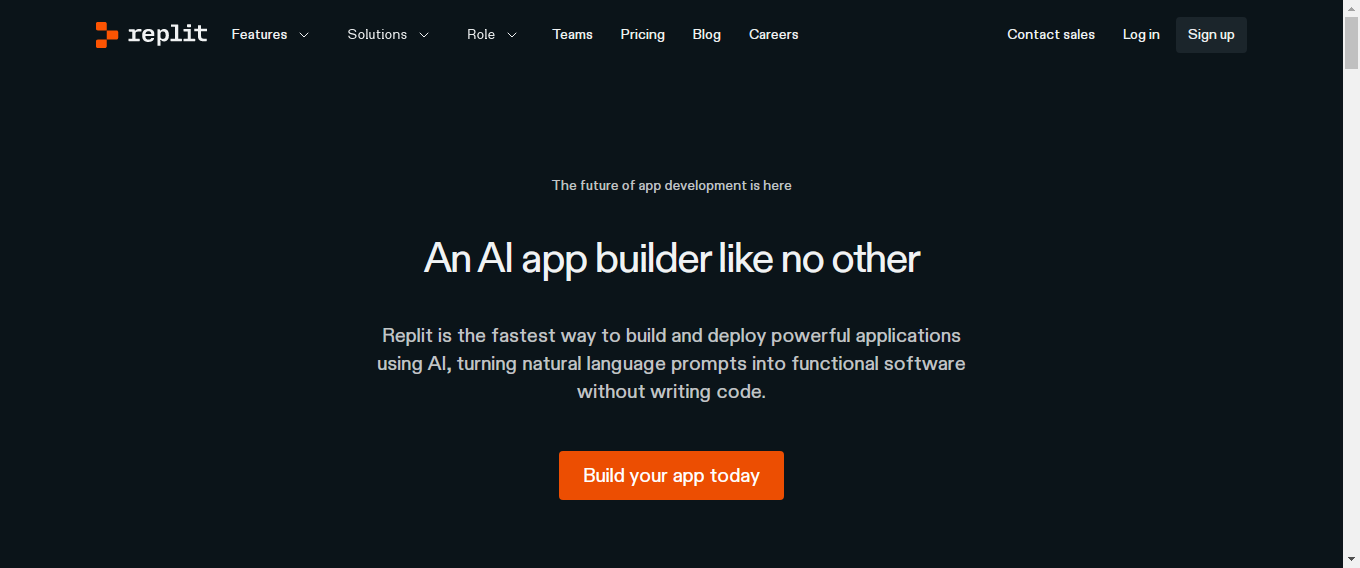
Replit is a cloud-based, browser-accessible IDE that supports over 50 programming languages. It stands out by integrating AI-powered coding assistance, real-time collaboration, and instant deployment features — all in one seamless platform. Whether you're a beginner experimenting with Python or an experienced developer building a full-stack app, Replit provides an intuitive, distraction-free environment. Its key educational advantages include:
For educators, learners, and hobbyists, Replit turns coding into an interactive and social experience while lowering the barrier to entry with no setup required. 22. Sourcegraph Cody
Sourcegraph Cody is an AI-powered coding assistant tailored for navigating and understanding large codebases. It integrates with Sourcegraph’s robust code search platform to help users learn by exploring existing repositories intelligently. What makes Cody useful for learning?
Cody is especially helpful for developers onboarding to new projects, contributing to open-source code, or reverse-engineering legacy applications. It turns codebases into live, navigable textbooks. 23. Exercism
Exercism is a platform built around hands-on, mentor-guided coding practice. It offers over 60 language tracks and thousands of exercises. The recent addition of AI-powered feedback allows learners to receive instant, personalized suggestions on their solutions, much like having a virtual mentor. Educational highlights:
Exercism is a fantastic choice for those who prefer a challenge-driven approach to learning, blending AI with community wisdom. 24. LeetCode AI
LeetCode AI enhances the renowned LeetCode platform by integrating AI features to aid learning and interview preparation. Already a go-to resource for developers practicing data structures and algorithms, LeetCode AI adds layers of intelligent guidance. Core features:
Whether you're prepping for a FAANG interview or brushing up on algorithmic thinking, LeetCode AI helps users not just solve problems, but understand the thinking behind them. How We Tested These AI Coding Assistant ToolsTo evaluate and compare the best AI coding assistants, we analyzed each tool across practical software development scenarios and measured performance based on the following criteria:
This evaluation framework helps developers compare tools beyond features and choose solutions based on actual development performance and usability. Which AI Coding Assistant Should You Choose?Use this quick decision guide to select the right AI coding assistant based on your development needs:
Choosing the right tool depends on your workflow, team size, security requirements, and development goals. Why You Should Choose an AI Coding Tool1. Time EfficiencyAI coding tools dramatically reduce development time by automating repetitive and mundane coding tasks. From boilerplate generation to auto-importing dependencies and generating test cases, these tools let developers focus on the strategic and complex parts of building software. Instead of spending hours debugging or writing utility functions, developers can delegate those tasks to AI, thereby accelerating delivery timelines. 2. Error ReductionHuman error is inevitable, but AI can act as a real-time reviewer. These tools analyze your code as you write it and flag potential bugs, syntax issues, or logic errors before they become major problems. Some even offer automatic fixes or explain the problem in plain language—an invaluable aid in reducing downtime due to preventable mistakes. 3. Learning SupportFor beginners and junior developers, AI coding assistants can be like having an on-demand mentor. They explain functions, recommend better practices, and guide you through unfamiliar syntax. This shortens the learning curve and helps developers grow their skills as they code in real-world environments. 4. Consistency Across CodebasesIn team settings, maintaining a consistent coding style and structure can be challenging—especially when working on large or legacy codebases. AI tools can enforce best practices and company-specific standards, automatically formatting and refactoring code to align with the agreed-upon style guide. This improves maintainability and team collaboration. 5. Productivity BoostWith intelligent autocompletion, real-time suggestions, and support for multiple programming languages, AI coding tools help developers write more functional code in less time. The cognitive load is reduced, context-switching is minimized, and task focus is improved—resulting in a noticeable boost in overall productivity. Benefits of AI Coding Assistant1. Accelerate Software Development TimelinesBy automating repetitive tasks, generating scaffolding code, and assisting with integrations, AI tools significantly reduce time-to-market. Projects that would take weeks can be prototyped and tested in days, helping businesses stay competitive. 2. Improve Code Quality and ReadabilityAI suggestions are often based on best practices, making your code not just correct—but cleaner and easier to read. This leads to code that is more maintainable and understandable by other developers down the line. 3. Reduce Manual Effort and Boilerplate CodeAI tools can handle tasks like setting up configurations, writing CRUD operations, and even creating documentation. This allows developers to allocate more time to complex features and innovation. 4. Enhance Debugging and Testing EfficiencySome AI coding tools provide advanced debugging help, generate unit tests, and even suggest test cases based on function logic. This streamlines QA and ensures better test coverage across the project. 5. Promote Collaborative Coding with Smarter ReviewsMany AI tools can be integrated into code review processes, offering intelligent suggestions during pull requests. This enhances team collaboration by providing helpful feedback and reducing the back-and-forth of code revisions. 6. Enable Faster Onboarding of New DevelopersNew team members can get up to speed faster by using AI-powered assistants that explain code, recommend patterns, and enforce team standards. This reduces the learning curve and helps teams scale efficiently without compromising quality. How to Select the Best AI Coding AssistantWith the surge of AI for coding solutions available today, choosing the right AI coding tool can feel overwhelming. To help you make an informed decision, here are key factors to consider when selecting the best AI tools for coding that perfectly fit your development needs: 1. Compatibility with Your Development EnvironmentThe best AI for code seamlessly integrates into your existing workflow. Whether you use VS Code, JetBrains IDEs, or cloud-based editors, ensure the AI coding assistant supports your platform and programming languages. Compatibility with your stack saves time and avoids disruption. 2. Quality of Code SuggestionsLook for coding AI tools that provide accurate, context-aware suggestions. The tool should not only autocomplete lines but also understand your project’s logic, reduce bugs, and optimize performance. Evaluate sample code generations or trial versions to assess quality. 3. Support for Multiple LanguagesIf you work with various programming languages or frameworks, prioritize AI tools for developers that offer multi-language support. This flexibility allows you to switch projects effortlessly without learning new tools for each language. 4. Security and PrivacySecurity is paramount when using any AI tool. Check if the provider follows industry-standard data encryption and does not expose your proprietary code. Tools with local processing options or strict privacy policies are preferable for sensitive projects. 5. Customization and Learning AbilityThe best AI coding tools adapt to your coding style and preferences over time. Look for features like customizable code snippets, the ability to learn from your projects, and integration with version control systems to enhance personalization and productivity. 6. Collaboration FeaturesFor teams, AI coding assistants that support collaboration can significantly improve workflow. Features like shared code suggestions, inline comments, and integration with team communication platforms make it easier for programmers to work together efficiently. 7. Pricing and LicensingEvaluate the pricing model to ensure it fits your budget. Many best code AI tools offer free tiers with limited features and paid plans for advanced capabilities. Factor in cost-effectiveness, especially if you are a startup or a small team. 8. Community and SupportActive community support, tutorials, and prompt customer service are invaluable. An engaged user base often means quicker bug fixes, regular updates, and a wealth of shared resources to help you maximize your AI coding tool. Selecting the right AI tool for coding is an investment in your development efficiency and software quality. By carefully considering these factors, you can harness the true power of programming AI and take your coding to the next level. AI Coding Assistant vs AI App BuilderAn AI coding assistant and an AI app builder both use artificial intelligence to accelerate software development, but they solve different problems. An AI coding assistant helps developers write, review, debug, optimize, and generate code inside existing development environments. These tools improve productivity through intelligent code completion, automated suggestions, and faster implementation. In comparison, AI app builders are designed to create complete applications with UI, backend logic, workflows, and deployment support using minimal manual coding. Developers typically choose an AI coding assistant when they want more control over architecture and implementation, while businesses and startups often adopt AI app builders to launch products faster.
AI Coding Tool Pricing ComparisonThe cost of an AI coding assistant depends on usage limits, team collaboration features, security controls, and deployment requirements. Many AI coding assistant platforms offer free tiers for individual developers, while enterprise plans provide advanced governance and productivity features. When selecting an AI coding assistant, compare pricing against developer productivity gains, security requirements, and long-term scalability. Security Risks of AI Generated CodeUsing an AI coding assistant can significantly accelerate development, but generated code should still be reviewed before production deployment. AI-generated outputs may introduce vulnerabilities, inefficient logic, outdated practices, or inconsistent architecture if not validated properly. Common risks include:
Teams should combine an AI coding assistant with testing, security scanning, code reviews, and validation workflows to maintain software quality. Open Source AI Coding ToolsOpen-source AI coding assistant platforms give developers greater flexibility, transparency, and customization compared to closed ecosystems. These tools are commonly adopted by engineering teams, research groups, and organizations that require self-hosted AI development environments. Popular open-source AI coding assistant tools include:
Choosing an open-source AI coding assistant can provide stronger deployment control, customization flexibility, and reduced vendor dependency. What Is the Future of AI Coding Assistant Tools?The future of AI coding tools is deeply tied to the advancement of generative AI and autonomous development platforms. We can expect:
ConclusionAI coding tools are not just a futuristic convenience—they are becoming essential companions in the modern development lifecycle. From boosting productivity and accelerating project timelines to enhancing code quality and reducing errors, these tools are reshaping how developers work. Whether you're a solo coder, part of a startup team, or managing enterprise-scale software, leveraging AI in your development process can offer significant competitive advantages. With a wide variety of AI coding assistants now available—from smart code completion and multilingual translation to automated security checks and learning support—there’s an ideal solution for every type of developer. As AI continues to evolve, these tools will only become more intelligent, intuitive, and deeply integrated into development environments. Among the leaders in this AI revolution is FAB Builder, an advanced low-code / code generation platform designed to help developers and teams streamline app development. With features like one-click deployment, customizable modules, and support for modern stacks (MERN, MEAN, Flutter, iOS, and more), FAB Builder brings the power of AI directly into your development workflow. Whether you're a solo developer, a startup, or an enterprise, integrating an AI-powered platform like FAB Builder can significantly reduce manual work, eliminate redundancies, and enable rapid innovation. Ready to supercharge your development process? Explore how FAB Builder can transform your workflow and help you launch scalable applications faster. |




Frequently Asked Questions
What are AI coding tools?
AI coding tools are software solutions powered by artificial intelligence designed to assist developers by generating code, suggesting improvements, fixing bugs, and automating repetitive tasks. They help increase productivity and improve code quality.
Can AI coding tools replace human developers?
No. AI tools are designed to assist developers, not replace them. They handle repetitive or boilerplate tasks, suggest code improvements, and help with debugging, but human oversight, creativity, and logic are still essential in software development.
What programming languages do AI coding tools support?
Most popular tools support a wide range of languages including JavaScript, Python, Java, C++, TypeScript, Go, and more. Platforms like FAB Builder support full-stack development with MERN, MEAN, Flutter, and iOS as well.
Are AI coding tools secure?
Security varies depending on the tool. Reputable platforms implement strict security measures to protect user data and code. FAB Builder, for instance, ensures secure and scalable development with built-in best practices and deployment safeguards.
How do AI coding assistants improve team collaboration?
They help maintain consistent coding standards, offer real-time suggestions, and facilitate intelligent code reviews—making it easier for teams to stay aligned and productive.
Can I use AI coding tools for enterprise-level applications?
Absolutely. Many AI tools, including FAB Builder, are designed to support enterprise-grade projects with scalable architecture, customizable modules, and robust integration capabilities.
What’s the difference between code generation and code suggestion tools?
Code suggestion tools (like GitHub Copilot) provide in-line code completions. Code generation tools (like FAB Builder) go further by auto-generating entire modules, APIs, or application scaffolds based on user-defined logic and configurations.